AI
Design
Development
For years, product teams have worked in a familiar loop:
Design the interface.
Build the interface.
Then redesign it once reality hits.
But in modern workflows, especially with AI-assisted development, interfaces often start in code. Developers prototype with real data. AI tools generate layouts instantly. Teams iterate directly in the browser.
And then comes the friction.
When it’s time to refine layouts, adjust hierarchy, explore variations, or align with a design system, designers frequently have to rebuild everything manually inside their design tool.
Screenshots aren’t editable.
Specs don’t capture nuance.
Recreating live UI wastes time.
What if working code could become the starting point for collaborative design, not the end of it?
Introducing a Code-to-Canvas Workflow
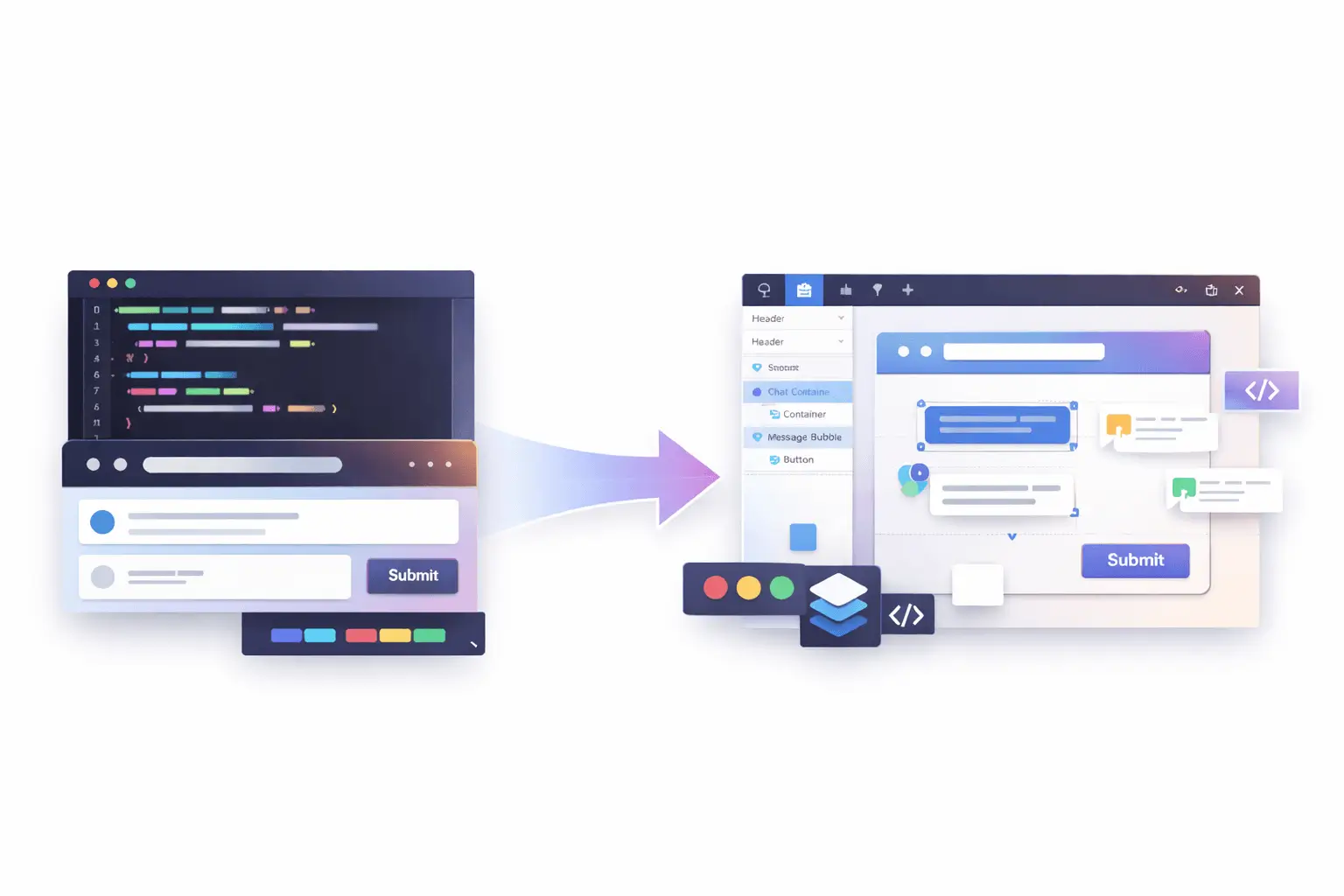
The Code-to-Canvas workflow transforms live interfaces into fully editable design files.
Instead of exporting flat images, teams can capture production or staging UIs and convert them into structured design frames, complete with layers, auto layout behavior, spacing logic, typography hierarchy, and component groupings.
This means:
- Real layout structure, not static visuals;
- Editable text layers;
- Component-ready sections;
- Preserved spacing and alignment;
- A foundation for design system refinement.
It’s not about replacing design. It’s about eliminating duplication.
Why Traditional Handoff No Longer Works
The traditional “design → dev” pipeline assumed:
- Design is finalized first;
- Developers translate it into code;
- Iterations happen later.
But today, that model has shifted.
Interfaces are often:
- AI-generated;
- Rapidly prototyped;
- Iterated with real backend data;
- Adjusted based on real usage signals.
In many teams, the most accurate version of the product lives in the browser, not in the design file.
When designers are disconnected from that source of truth, misalignment grows:
- Spacing drifts;
- Typography changes;
- Components diverge;
- Documentation becomes outdated.
A Code-to-Canvas workflow reconnects design to reality.
How It Works
While implementation details may vary depending on tooling, the workflow generally follows four steps:
1. Capture a Live Interface
Select a running UI from local development, staging, or production. The system reads the rendered structure, layout hierarchy, and styling logic.
2. Convert Structure into Design Layers
Instead of flattening the UI, the tool reconstructs:
- Containers;
- Flex/grid layouts;
- Typography styles;
- Buttons and interactive elements;
- Spacing relationships.
The output becomes a structured design frame.
3. Make It Editable
Designer can:
- Modify layout using auto layout tools;
- Adjust spacing tokens;
- Swap typography styles;
- Convert repeated elements into components;
- Add annotations or variations.
It behaves like a native design file, not a static import.
4. Iterate and Refine
From here, teams can:
- Align UI to a design system;
- Explore alternative layouts;
- Improve hierarchy and visual rhythm;
- Prepare for documentation or stakeholder review.
The result is a continuous loop instead of a one-time handoff.

What This Unlocks for Teams
AI-First Product Development
AI tools can generate functioning UI quickly, but visual refinement still requires human design thinking. Instead of rebuilding AI output from scratch, teams can refine what already exists.
Faster Design Audits
Need to audit a production interface? Capture it and immediately analyze spacing consistency, typography hierarchy, and component alignment inside a design tool.
Living Design Systems
Instead of design systems drifting away from implementation, real UI can feed back into system updates. Components can be extracted directly from production patterns.
Reduced Redundancy
No more:
- Recreating already-built layouts;
- Measuring spacing manually;
- Guessing implementation behavior.
The browser becomes a design source, not just a development artifact.
Not a Replacement - A Bridge
This workflow doesn’t eliminate the need for original design thinking.
It enhances it.
Early-stage conceptual design still matters. Wireframes still matter. Exploratory layout systems still matter.
But once something exists in code, there’s no reason to start over.
Design and development shouldn’t be parallel tracks that occasionally intersect. They should be part of a shared feedback loop.
Technical Considerations
Turning code into editable design files isn’t trivial.
The system must:
- Interpret DOM hierarchy;
- Translate CSS layout logic into auto layout;
- Preserve typography scaling;
- Map reusable elements into component structures;
- Handle responsive variations.
The more accurately the structure is interpreted, the more useful the resulting design file becomes.
High-fidelity structure conversion is what separates a screenshot tool from a true collaborative workflow.
A Two-Way Future
The real opportunity isn’t just code → design.
It’s round-trip collaboration:
- Prototype in code;
- Convert to editable design;
- Refine and systematize;
- Sync improvements back into development.
That loop reduces friction, speeds iteration, and keeps teams aligned around a single source of truth.
The Bigger Shift
Modern product teams are no longer linear.
They are:
- AI-assisted;
- Cross-functional;
- Rapidly iterative;
- Data-informed.
Design tools and development environments must reflect that reality.
Code-to-Canvas workflows represent a broader evolution: tools adapting to how teams actually build products today.
Because the best interfaces aren’t created in isolation.
They’re shaped through iteration, between code and craft.
Ready to Bridge Design and Code?
If you're exploring a Code-to-Canvas approach or looking to better align design and implementation, I can help at every stage, from refining interfaces and structuring systems to improving how everything works together.
If you need support bringing this workflow to life, let’s connect.
About the Author:

As a blog author at Mykola Designer, I explain how global teams can build high-converting and trust-building websites. In my articles, I combine strategic UI/UX design with expert marketing and no-code development and provide full-scale landing pages, brand identity systems, and SEO/GEO optimization for startups looking to turn concepts into scalable products.
Let’s connect on LinkedIn or X to build awesome projects together.
Share this article: