
Website
Design
A website form is one of the simplest ways to interact with your visitors, yet it’s also one of the most powerful tools for collecting meaningful data. Whether someone wants to ask a question, request a quote, subscribe to your updates, or book a service, almost all interactions start with a form.
As a designer working with businesses across different industries, I see how often forms are underestimated. A form can seem like a small detail on a page, but it directly affects conversions, communication, and the quality of insights a business collects from its audience.
In this article, I’ll walk you through what a website form is, how it works, why it matters, and how different types of forms help you gather the right user data. I’ll also share best practices I follow when designing forms for clients.
What Is a Website Form?
A website form is an interactive element on a webpage that allows visitors to submit information. It can be as simple as an email field or as complex as a multi-step form with conditional fields, file uploads, and automated routing.
At its core, a form performs three tasks:
1. Collects information
Users enter their details - name, email, phone, preferences, files, or messages.
2. Sends the information somewhere
This could be your email, CRM, booking system, or internal dashboard.
3. Helps you process or act on that information
That might mean replying to a message, scheduling a meeting, sending a follow-up email, or analyzing the data for marketing insights.
A website form typically includes:
- Text fields
- Email fields
- Number fields
- Dropdown menus
- Radio buttons
- Checkboxes
- Date & time pickers
- File upload inputs
- Consent checkboxes (GDPR, privacy, etc.)
These fields are combined to fit the purpose of the form and the type of data you want to gather.
Types of Website Forms
Forms play different roles depending on what your business needs. Here are the most common types I use when building websites:
1. Contact Forms
For general inquiries and communication.
2. Quote Request Forms
Used by service providers who need details before giving a price.
3. Booking & Appointment Forms
Schedule calls, meetings, or in-person visits.
4. Newsletter Signup Forms
Collect emails for marketing campaigns.
5. Multi-Step Forms
Break longer processes into smaller “steps” to improve completion rates.
6. Surveys and Feedback Forms
Gather user opinions, satisfaction ratings, or product feedback.
7. Support or Ticket Submission Forms
Let users submit issues in an organized way.
8. Checkout or Order Forms
Used for selling products or services.
9. Registration Forms
For account creation, event signups, or membership systems.
How Website Forms Help You Collect User Data
Forms are one of the most reliable sources of first-party data - information users willingly share with you. This is extremely important today, especially with privacy changes and the fading relevance of third-party tracking.
Here’s the kind of data your forms can collect:
- Contact Information: Names, emails, phone numbers, essential for follow-ups.
- Business Insights: What users are searching for, their needs, their budget range, or their project details.
- Behavioral Data: Understanding what products or services people are most interested in.
- Marketing Segmentation: Forms help you separate leads into meaningful categories (e.g., “design inquiry,” “support,” “partnership”).
- Content Insights: If multiple people ask the same question, that’s a signal you should address it somewhere in your content or services.
- Purchase Intent: Forms like “Request a Quote” or “Book a Consultation” show strong sales intent.
In short: forms help you understand who your audience is and what they want, directly from the source.
How a Website Contact Form System Works
Behind every simple submit button is a workflow that ensures the form sends information properly. Here’s the general process:
1. The form is built
Using custom code or a CMS platform (Webflow, WordPress, Shopify, etc.).
2. Validation happens
The form checks if the user input is correct - valid email, required fields filled, etc.
3. The data is submitted
Once validated, the data travels to its destination:
- Your email
- CRM
- Database
- Project management tool
- Automation tool (e.g., Zapier)
4. Notifications are sent
Both you and the user may receive confirmation messages or auto-replies.
5. Data is stored or logged
Some systems keep a copy of all submissions in a dashboard for extra reliability.
6. Security layers protect the form
Tools like reCAPTCHA, spam filters, and honeypots prevent bot submissions.
7. Tracking measures performance
Using GA4 or Tag Manager, I can track:
- Form views
- Button clicks
- Successful submissions
- Drop-offs
This setup ensures your form works properly and your data flows where it needs to go.
Benefits of Using Website Forms
Website forms provide benefits for both the visitor and the business:
For visitors:
- Faster way to reach you
- Clear expectations
- Quick submissions
- Less searching for contact information
For you:
- Clean, structured data
- Easier lead qualification
- Automated workflows
- Insights directly from users
- Better conversion tracking
- Consistent communication
A single form can improve the efficiency of your entire communication funnel.
Best Practices for Creating Effective Website Forms
When I design forms for clients, these are the core principles I follow:
1. Keep it simple
Only ask for the information you need. Long forms reduce completions.
2. Make it visually clear
Use readable labels, proper spacing, and logical grouping.
3. Add inline error messages
Users should understand what went wrong immediately.
4. Optimize for mobile
Many submissions come from mobile devices, so the form layout must follow responsive design principles.
5. Provide a confirmation message
A thank-you page or success message reassures users their form worked.
6. Add security
CAPTCHA and anti-spam systems protect your inbox.
7. Set up proper email routing
Correct recipients, filters, and labeling ensure no message goes missing.
8. Track everything
Form submissions should be measured, otherwise, you can’t improve them.
These best practices make forms easier to use and more reliable.
Examples of Well-Designed Website Forms
1. Minimal Contact Form

Perfect for quick messages:
- Name
- Message
2. Multi-Step Lead Form

Ideal for more complex inquiries like project briefs.
3. Newsletter Signup Form

Just one input field, Email, delivering the highest conversion.
4. Quote Request Form
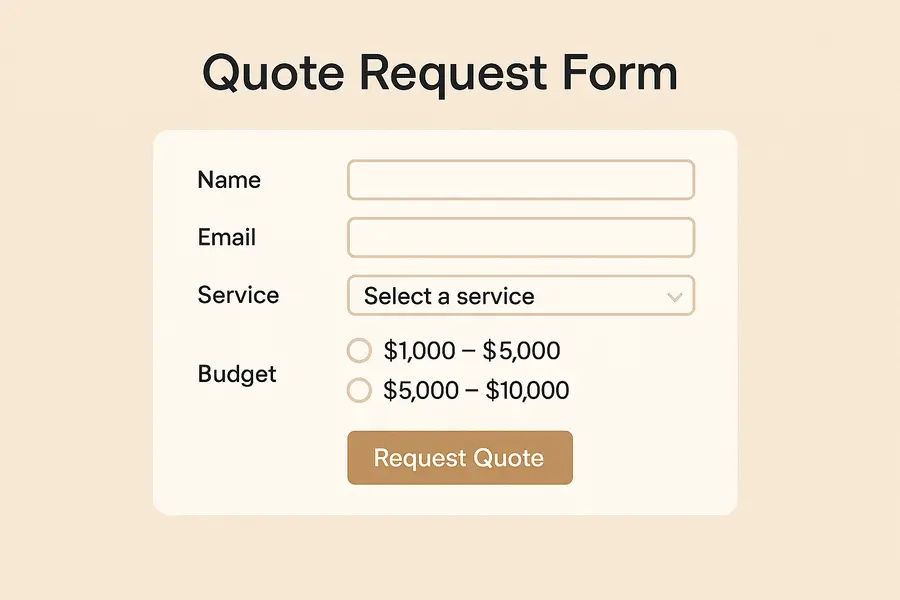
Includes conditional fields to collect only relevant data.
5. Appointment Booking Form
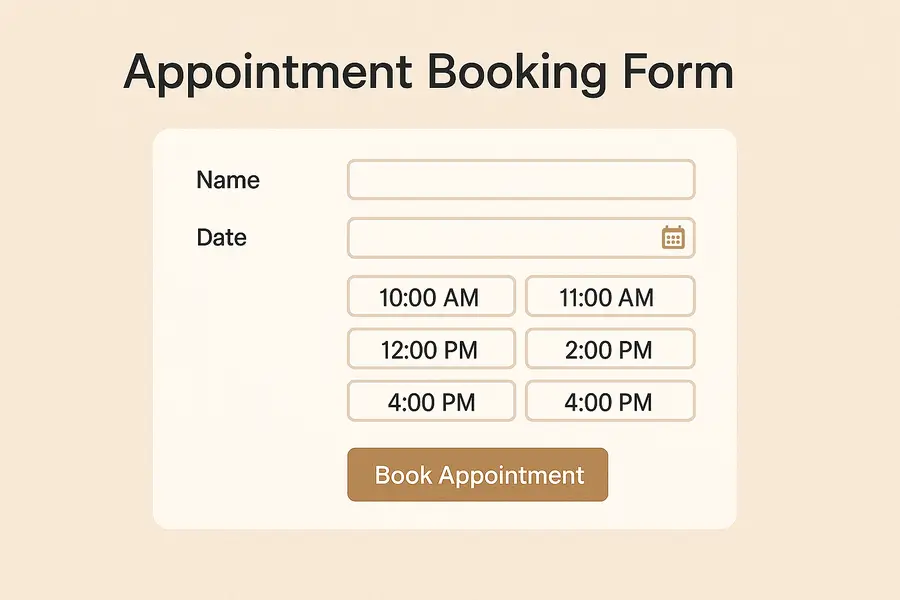
Allows users to see available time slots and schedule instantly.
When designed properly, these forms keep your communication channels organized and efficient.
FAQs
What is a form on a website used for?
To allow users to submit structured information directly through your website.
Do website forms collect personal data?
Yes, depending on the fields included. It’s important to comply with privacy laws.
How do I add a form to my website?
Through your website builder, plugins, or a custom-coded solution.
Are forms secure?
They can be secure when using captcha, SSL encryption, and server-side validation.
What’s the difference between a contact form and other forms?
A contact form is designed for communication; other forms may be for booking, checkout, or data collection.
To Sum Up
Website forms are essential tools for communication, data collection, and improving user experience. When built correctly, they help you understand your audience, generate leads, and streamline your workflows. Small mistakes, like poor routing, missing fields, or confusing layouts, can disrupt communication and lower conversions.
A good form feels seamless for the user and reliable for the business. That’s why thoughtful design, proper configuration, and correct tracking matter.
Need Help Creating or Optimizing Your Website Forms?
If you want to improve your website forms, fix issues with form submissions, or set up proper tracking and notifications, I can help.
I design clean, user-friendly forms and configure everything, from field structure to spam protection, CRM routing, and analytics tracking. Fill out a quick project brief, I’ll create something tailored and unique for your website.
About the Author:

As a blog author at Mykola Designer, I explain how global teams can build high-converting and trust-building websites. In my articles, I combine strategic UI/UX design with expert marketing and no-code development and provide full-scale landing pages, brand identity systems, and SEO/GEO optimization for startups looking to turn concepts into scalable products.
Let’s connect on LinkedIn or X to build awesome projects together.
Share this article:


