Blog
My blog01.
0 min
|
|
The Real Problem Isn’t Your Designer. Here’s Why.
Most founders have had at least one bad experience working with a designer. Sometimes more than one.
- The work doesn’t land.
- Progress feels slow.
- Revisions multiply.
- Frustration builds.
It’s easy to assume the designer is the problem.
In reality, design projects usually fail for reasons that have very little to do with talent and a lot to do with how the work is set up.
Design Isn’t Decoration
One of the most common disconnects happens at the very beginning.
If a designer is hired only to make things “look nice,” without being involved in users, goals, or strategy, the outcome will always be surface-level. Visual polish without problem-solving rarely performs well.
This matters because design directly affects how users experience a product. In fact, 88% of online consumers won’t return after a bad user experience. When design decisions aren’t grounded in real problems, the cost shows up not just internally, but in lost users.
Designers aren’t decorators. Real design work exists to solve problems, clarify intent, and support growth. When that role is misunderstood, disappointment is almost guaranteed.
Context Is the Foundation of Good Design
Designers don’t work in isolation and they can’t read minds.
Without clear information about the vision, constraints, audience, and objectives, designers are forced to guess. Guessing leads to misalignment, excessive revisions, and wasted time.

“The client giving design feedback is often just trying to help solve a problem they perceive.”
“When a client offers up feedback I’m not sure about, I ask them, ‘What’s the problem we’re solving by doing that?’”
A brief helps, but context is what turns design from guesswork into intention. When designers understand the underlying problem, feedback stops being about surface changes and starts becoming a shared effort to reach the right outcome.
“Clients don’t always know how to ask for what they want.”
“Part of our job is to figure out what they actually want and try to make it work for everyone.”
Unclear feedback isn’t the problem. Missing context is. When designers help translate instinctive reactions into clear intent, collaboration replaces friction.
Creative Freedom Still Needs Boundaries
“Creative freedom” often sounds like an open invitation, but without direction, it creates confusion.
Creative freedom doesn’t mean unlimited exploration. It means having room to think and test ideas within clear boundaries. When every detail is micromanaged or constantly rejected, the designer’s role shifts from problem-solver to executor.
At that point, design loses its value.
Design Works Best When It Starts Early
Design is not a finishing touch added at the end of a project.
It’s a strategic layer that influences product structure, messaging, usability, and user experience. When design is introduced too late, it’s asked to fix problems it didn’t create and can’t fully solve.
Bringing design in early prevents costly rewrites and rebuilds later.
Process Is Part of the Work
Good design takes time.
Research, exploration, and iteration are not delays. They are the work. Rushing through them leads to results that look acceptable but lack depth and longevity.
If depth is the goal, space must be part of the process.
Speed and Quality Are Not the Same
Moving fast can feel productive, but speed without understanding often sacrifices quality.
A designer who ships quickly without asking questions may deliver something that looks fine on the surface but performs poorly. Thoughtful designers slow down at the right moments to create work that actually lasts.
Undefined Success Creates Endless Revisions
When success isn’t defined, feedback becomes subjective.
If “done” and “good” aren’t clearly agreed on, every iteration feels incomplete. Designers can’t optimize for outcomes that haven’t been articulated.
Clear goals protect both sides and turn feedback into progress instead of noise.

This is where many design projects either gain clarity or start to unravel. When goals aren’t defined early, feedback drifts toward personal taste instead of measurable outcomes. Design becomes subjective not because it is, but because the target was never clearly set.
Too Many Opinions Dilute Direction
Design by committee rarely leads to strong outcomes.
When feedback comes from everyone, direction disappears. Opinions conflict, priorities blur, and momentum stalls. Good design needs trust and a clear decision-maker.
If trust doesn’t exist, the problem isn’t the design. It’s the relationship.
Investment Reflects Priorities
Design quality reflects how much it’s valued.
When design is treated as a cost to minimize, the results usually mirror that mindset. Quality design requires time, focus, and care.
Cheap design often gets revisited.
Good design compounds.
Why Design Gets Blamed
Design is visible and tangible, which makes it an easy target when something feels off.

But most design problems are symptoms, not causes. They surface gaps in clarity, alignment, and decision-making that already exist.
Design doesn’t create those issues.
It reveals them.
Final Thought
If a design project feels harder than expected, it doesn’t mean the designer is the problem. It usually means something important wasn’t aligned early enough.
Design simply made it impossible to ignore.
Popular articles02.
In this article, I’ll break down what SEO is, how it works, and SEO strategies so you can use it to improve your site’s performance in search engines.
What Does SEO Stand For?

SEO stands for Search Engine Optimization. At its core, it’s the practice of optimizing your website to appear more prominently in search engine results, especially on platforms like Google.
When someone types a question or keyword into a search engine, they’re met with a list of results. SEO helps your website appear higher on that list by making it more relevant, valuable, and accessible to both search engines and users.
It’s not about tricking search engines; it’s about helping them understand your content and showing that your site deserves to be found.
How Search Engines Work
To understand SEO, it's helpful to know how search engines like Google find and rank content. The process includes three 3 stages: crawling, indexing, and ranking.
- Crawling: Search engines use bots (also called spiders) to scan the internet for new or updated web pages. These bots follow links from one page to another, gathering information along the way.
- Indexing: After a page is crawled, the search engine stores and organizes its content in a massive database known as the index. If your page isn’t indexed, it won’t appear in search results.
- Ranking: When a user enters a search query, the search engine scans its index and delivers a list of results it believes are the most relevant. It ranks them based on hundreds of factors, including content quality, user experience, and site authority.
SEO is about making sure your website is easy to crawl, properly indexed, and optimized to appear among the top results when people search for topics related to your business.
The Main Components of SEO
SEO is made up of several key components that work together to improve your website’s visibility in search results. These are typically grouped into three main areas: on-page SEO, off-page SEO, and technical SEO.
On-Page SEO
This focuses on the content and elements you control directly on your website. It includes:
- Using relevant keywords naturally within your content,
- Writing clear and engaging headlines,
- Optimizing title tags and meta descriptions.
- Structuring content with proper headings (H1, H2, etc.)
The goal is to create helpful, well-organized content that answers what users are searching for.

Off-Page SEO
This covers external efforts aimed at improving your website’s search engine rankings.The most important factor here is backlinks - links from other websites pointing to your content. These act as signals of trust and authority.
Other off-page elements include social sharing, brand mentions, and building relationships with other reputable websites in your industry.
Technical SEO
This ensures that search engines can effectively access, crawl, and index your site. It includes:
- Fast loading times,
- Mobile-friendly design,
- Secure website connections (HTTPS),
- Clean site architecture and internal linking,
- Avoiding duplicate content and broken links.
Why SEO Is Important
SEO plays a vital role in helping your website attract the right visitors and grow over time. Here’s why it matters:
1. Increases Visibility and Traffic
Most people don’t look past the first page of search results. SEO helps your website appear higher in those results, which means more people will find and visit your site.
2. Builds Trust and Credibility
Websites that appear higher in search results are often perceived as more reliable and credible. A strong SEO strategy helps establish your brand as a reliable source of information or services.

3. Reaches the Right Audience
SEO focuses on optimizing your content for specific keywords and topics your target audience is searching for. This helps bring in visitors who are genuinely interested in what you offer.
4. Offers Long-Term Value
Unlike paid ads that stop delivering results when you stop spending, SEO can provide consistent traffic over time. Once your content ranks well, it can continue performing for months or even years.
5. Supports Other Marketing Efforts
Good SEO improves the user experience, enhances your content strategy, and complements efforts like email marketing or social media.
Common SEO Strategies
To improve your website’s visibility in search results, you need a well-rounded approach. Here are some of the most effective SEO strategies used by businesses and content creators:
1. Keyword Research
This is the foundation of SEO. It involves identifying the words and phrases your target audience types into search engines. Tools like Google Keyword Planner, Neil Patel, Ahrefs, or SEMrush can help you find relevant keywords with high search volume and manageable competition.
Once identified, these keywords guide your content creation and optimization efforts.
2. Content Creation
Creating high-quality, useful content that answers users’ questions is key to earning visibility. Blog posts, product pages, guides, FAQs, and videos can all help drive organic traffic. Your content should be original, informative, and optimized with the keywords you’ve researched, but also written naturally for human readers.
3. On-Page Optimization
This means improving individual web pages so they rank higher and attract more relevant traffic. Important elements include:
- Title tags and meta descriptions,
- Header tags (H1, H2, etc.),
- Image alt text,
- Internal links to related content,
- Clear URL structure.
Each of these signals helps search engines understand your content and improves user experience.

4. Link Building
Links from trusted external websites serve as signals of credibility and authority for your content. Earning links naturally through great content, outreach, guest posts, or partnerships can significantly boost your site’s authority and rankings.
Quality matters more than quantity - a single link from a trusted source is more valuable than many from low-quality sites.
5. Technical SEO
Strong content alone won't perform well if your site has unresolved technical issues. Technical SEO involves optimizing the behind-the-scenes elements of your website, including:
- Fast page load speeds,
- Mobile responsiveness,
- Secure HTTPS connection,
- Clean website architecture,
- Proper indexing and crawlability.
Regular audits and maintenance help keep your site in top shape for both users and search engines.
SEO vs. Paid Ads
Both SEO and paid advertising can bring valuable traffic to your website, but they work in different ways and serve different goals.
SEO: Organic Growth Over Time
SEO focuses on improving your website’s visibility in unpaid, organic search results. With consistent effort, like optimizing content, earning backlinks, and improving site structure, you can build long-term visibility and traffic.
It doesn’t cost anything per click, but it does require time and ongoing effort to see results.
Paid Ads: Immediate but Temporary Visibility
Paid ads, such as Google Ads or social media promotions, offer instant exposure. You can appear at the top of search results right away, which is helpful for driving quick traffic during a campaign or product launch.
However, once your budget runs out, the visibility disappears. You’re paying for every click or impression, so the costs can add up quickly.
Key Differences to Know
- Cost: SEO traffic is free, while paid ads require a budget for each click or impression.
- Speed: SEO takes time to build, but results are long-lasting. Paid ads work instantly but only while the campaign is active.
- Credibility: Users tend to trust organic search results more than ads because they appear more authentic and less sales-driven.
- Sustainability: SEO delivers ongoing value, while paid traffic stops when spending stops.
While SEO is great for long-term growth, combining it with paid ads can offer a balanced strategy - using ads for immediate results and SEO for steady, lasting performance.

Final Thoughts
SEO is one of the most effective ways to drive consistent, long-term traffic to your website. By understanding how it works and applying the right strategies, you can improve your online visibility, attract the right audience, and build lasting trust with your visitors.
If you need help getting started, I can help. I specialize in creating conversion-focused websites and SEO-optimized content that not only looks great but drives real results.
Put simply, experiential marketing is a strategy that uses branded experiences, both in person and online, to engage consumers in meaningful and interactive ways. Whether it’s a pop-up event, an immersive digital experience, or a hands-on product demo, the goal is to create moments people want to join and share.
In this article, I’ll explain what experiential marketing is, why it’s so effective today, and how you can use it in your own campaigns, with examples to inspire new ideas.

What Is Experiential Marketing?
Experiential marketing is a strategy that focuses on creating memorable, real-world interactions between a brand and its audience. Instead of just telling people about a product or service, it invites them to experience it firsthand, through events, installations, pop-ups, or even virtual activations.
So, what is experiential marketing in simple terms? It’s marketing that people can physically or emotionally participate in. The goal is to create a strong, personal connection that sticks long after the experience ends.
This approach goes beyond traditional advertising by encouraging audiences to actively engage with a brand. It’s not just about promoting a message - it’s about creating a moment that people want to be part of and share.
Brands use experiential marketing to:
- Introduce new products in interactive ways;
- Build emotional loyalty through hands-on experiences;
- Generate social buzz and user-generated content;
- Stand out in a crowded digital landscape.
Whether it happens in-person or online, the key is to make people feel something - curiosity, excitement, inspiration, or delight.
Why Experiential Marketing Works
In a world where audiences are bombarded with ads every day, experiential marketing stands out because it focuses on creating real, emotional connections. People don’t just see or hear about your brand - they experience it. And experiences, unlike ads, are remembered and shared.
Here’s why experiential marketing is so powerful:
It Builds Emotional Connections
At its core, experiential marketing is about creating an emotional response, not just delivering information. While traditional advertising focuses on features, discounts, or slogans, experiential marketing aims to make people feel something about a brand.
Emotions like joy, excitement, nostalgia, or even belonging are powerful triggers. When consumers experience these feelings firsthand, they naturally associate those positive emotions with the brand behind the experience.
For example, imagine attending an exclusive product launch event where you get to test a new product months before it hits the market. The excitement and sense of being part of something special create a bond that no static ad could ever replicate.
Emotional connections don’t just improve brand recall - they build loyalty. People are more likely to support and recommend brands they feel emotionally tied to, even when competitors offer similar products or lower prices. This is a major reason why experiential marketing succeeds where traditional campaigns often fall short.

It Turns Passive Viewers into Active Participants
Traditional marketing often asks people to sit back and watch. Experiential marketing takes a different approach by inviting people to actively engage. This shift from passive to active involvement creates a more meaningful and memorable brand experience.
When someone tries a product, interacts with a brand environment, or takes part in a branded event, they’re no longer just an observer. They become part of the story. That sense of participation builds ownership and trust. It also makes the experience far more memorable than simply seeing a banner ad or scrolling past a social post.
Here’s why this matters:
- Participation builds trust by involving the audience directly;
- Doing creates stronger memories than just watching;
- Interactive experiences demand attention and increase engagement;
- People are more likely to share what they’ve experienced firsthand.
It’s Highly Shareable
One of the biggest strengths of experiential marketing is its natural ability to inspire people to share their experiences. A well-designed brand event, interactive installation, or creative activation gives people something exciting to photograph, talk about, and post online.
When participants share their experiences on social media, they expand the brand’s reach far beyond the original audience. A single memorable moment can generate hundreds or even thousands of impressions through photos, videos, and personal stories.
Here’s why sharing matters:
- Authentic exposure: Real experiences feel more trustworthy than traditional ads;
- Wider organic reach: Participants amplify the brand by sharing with their networks;
- Emotional storytelling: People enjoy sharing moments that feel exciting, personal, or meaningful;
- User-generated content: Every shared photo or post reinforces brand awareness.
This kind of organic exposure feels more authentic than paid ads. People trust recommendations and real experiences shared by friends and peers more than branded promotions. By creating experiences that are visually striking, emotionally resonant, or simply fun to share, brands can turn participants into powerful advocates.

It Creates Lasting Impressions
Most advertisements are easily forgotten, but a powerful experience stays with people long after it ends. Experiential marketing focuses on creating moments that leave a deep and lasting impact on the audience.
When people interact with a brand in a meaningful way, they form stronger memories compared to when they simply view an ad. These memories are linked to real emotions, actions, and personal engagement, making them far more durable.
Here’s why meaningful experiences leave a stronger mark:
- Emotional memories are more durable than factual messages;
- Interactive moments build deeper connections with the brand;
- Positive associations strengthen brand loyalty over time;
- Hands-on experiences are easier to recall than passive content.
A great experiential marketing campaign does more than create a temporary buzz. It builds long-term brand loyalty by giving people something they truly remember and associate with positive feelings.
By focusing on creating genuine moments rather than just messages, experiential marketing helps brands make a real, lasting impression on their audience.
Experiential Marketing Examples
To truly understand the impact of experiential marketing, it helps to look at real-world campaigns that brought brands closer to their audiences.
Here are a few standout experiential marketing examples that show how powerful the right experience can be:

1. Airbnb’s Floating House on the River Thames
To promote its "Live There" campaign, Airbnb created a full-sized floating house that sailed down the River Thames in London. The house was fully functional, with bedrooms, a living room, and even a garden.
Contest winners got to spend the night, making it a once-in-a-lifetime experience that tied perfectly to Airbnb’s mission of offering more than just places to stay. The event generated major social media buzz and news coverage, highlighting how experiential marketing can turn brand values into unforgettable moments.
2. Spotify’s “Wrapped” Personalized Experience

Spotify turned data into a personal, shareable experience with its annual “Wrapped” campaign. By creating customized playlists and listening stats for each user, Spotify allowed millions of people to relive their favorite moments and share them with friends.
Although digital, this experiential marketing approach worked because it was interactive, emotional, and highly personalized. This interactive and emotional campaign strengthened user loyalty and encouraged widespread sharing across social media.
3. IKEA’s "The Dining Club" Pop-Up
In London, IKEA opened "The Dining Club," a pop-up restaurant where guests could host their own dinner parties, cook with IKEA chefs, and experience IKEA kitchen products firsthand. Rather than simply showing off their furniture in a catalog, IKEA invited people to live it.
This interactive campaign brought their brand promise, creating spaces for real life, into the spotlight and connected with customers on a personal level.
Frequently Asked Questions
Is experiential marketing only for big brands?
No. While large companies often run high-profile experiential marketing campaigns, small businesses can create powerful experiences too. Hosting local pop-up events, interactive workshops, or creative product demonstrations are great ways for smaller brands to engage audiences meaningfully.
Does experiential marketing always need to be in-person?
Not at all. While many experiential campaigns happen face-to-face, digital experiences can be just as powerful. Virtual reality tours, interactive online events, and personalized digital experiences also count as experiential marketing when they actively involve the audience.
How can brands measure the success of experiential marketing?
Success can be measured through a mix of metrics, depending on the campaign goal. These might include event attendance, social media engagement, user-generated content, brand sentiment analysis, email sign-ups, or direct sales increases following the experience.
What makes a good experiential marketing campaign?
A successful campaign feels personal, encourages participation, and ties clearly back to the brand’s identity. It should create an emotional connection while being easy to share and talk about afterward, helping the brand’s message spread organically.
Can experiential marketing be combined with traditional marketing?
Yes. In fact, experiential marketing often works best when integrated into a larger campaign. A live experience can be promoted through ads, email marketing, and social media to maximize reach and reinforce the brand message across different touchpoints.
Conclusion
Experiential marketing works by creating real emotional connections between brands and people. It goes beyond delivering messages to offer meaningful, interactive moments that audiences remember. By inviting participation instead of passive viewing, it fosters stronger loyalty and lasting impressions.
Whether through a live event, a creative installation, or an engaging digital experience, brands that focus on creating meaningful interactions stand out in a crowded market. By making audiences feel something real, experiential marketing turns customers into advocates and helps brands become part of the stories people want to share.
A well-structured, visually appealing, and user-friendly website can improve engagement, enhance credibility, and drive conversions. This article is about why is web design important for businesses and how it impacts everything from brand perception to sales growth.
So, Why Is Web Design Important?
The first few seconds on your website can determine whether a visitor stays or leaves. In fact, 94% of first impressions are design-related, showing just how critical a well-structured, visually appealing site is for engaging visitors. Design, layout, and usability shape their perception instantly.

Your Website Creates an Instant Impression
The first few seconds on your website can determine whether a visitor stays or leaves. Design, layout, and usability shape their perception instantly. A modern, well-structured site signals professionalism, while a cluttered or outdated one can create doubt and push potential customers away.
For example, someone searching for a law firm visits two websites. One has a sleek, easy-to-navigate design with clear contact details. The other looks outdated and loads slowly. Most users will trust and choose the first one.
A strong first impression encourages visitors to stay, engage, and take action. A clean layout, fast loading speed, and clear messaging help build trust and keep users interested from the start.
A Strong Online Presence Attracts More Visitors
A well-designed website goes beyond aesthetics.It helps people find your business online. Search engines prioritize sites that are user-friendly, fast, and well-structured. If your website is difficult to navigate or slow to load, it may rank lower, making it harder for potential customers to discover you.
For example, a local bakery with a clean, mobile-friendly website featuring clear menus, location details, and customer reviews is more likely to show up in search results than a competitor with a poorly optimized site. The easier it is to find and use your website, the more visitors you’ll attract.
An effective online presence ensures that when people search for products or services like yours, they land on your site instead of a competitor’s. The right design keeps them engaged, turning visitors into loyal customers.
A User-Friendly Website Reflects Your Commitment to Customers
Your website is more than just a digital storefront, it shows how much you value your customers. If visitors can easily navigate your site, find information quickly, and complete actions without frustration, they’ll associate that smooth experience with your business as a whole.
On the other hand, a confusing or slow website can make them feel undervalued and push them toward competitors.
For example, imagine a customer looking for an appointment with a dental clinic. One website offers a clear, easy-to-use booking form, while another has outdated links and unclear instructions. The customer is far more likely to choose the clinic that made the process simple and stress-free.

A user-friendly design improves engagement, builds trust, and ensures that visitors have a positive experience from the moment they arrive. Prioritizing ease of use shows customers that you respect their time and care about their needs.
A Professional Look Builds Trust
People are more likely to do business with a company that looks credible and established. Your website’s design plays a key role in building that trust. If your site appears outdated, cluttered, or unprofessional, visitors may hesitate to engage with your brand. A polished, well-organized site reassures them that your business is legitimate and reliable.
Consider a customer looking for an online retailer. If they land on a website with:
- A clean, modern design
- Clear product descriptions and professional images
- Easy navigation and a secure checkout process
They will feel more confident making a purchase. On the other hand, a website with poor visuals, broken links, or missing information can create doubts about the company's credibility.
A professional design not only makes a strong first impression but also encourages users to trust your brand, engage with your content, and take action.
Staying Competitive Requires a Modern Website
In a crowded market, businesses with outdated or difficult-to-use websites risk losing potential customers to competitors with better online experiences. A modern, well-designed website helps you stand out and keeps visitors engaged. If your competitors offer a smoother browsing experience, faster load times, and clearer messaging, users are more likely to choose them instead.
For example, imagine two local fitness studios:
- One has a sleek, mobile-friendly website with an easy booking system and up-to-date class schedules.
- The other has an outdated design, slow load times, and no clear way to sign up.
Most potential customers will choose the first studio because it’s easier to use and more inviting. A modern website isn’t just about appearance; it’s about providing a seamless experience that keeps users coming back instead of turning to competitors.
A Consistent Brand Experience Increases Recognition
A strong brand is built on consistency, and your website should reflect that at every touchpoint. When colors, fonts, messaging, and design elements remain uniform across all pages, visitors can instantly recognize and connect with your business.

The web designing importance in branding is undeniable. A cohesive and professional website strengthens recognition and builds trust, ensuring that customers remember your business and feel confident engaging with it.
Consider a customer browsing two competing clothing brands:
- One has a cohesive website where the colors, typography, and tone match its social media and marketing materials.
- The other has an inconsistent design, with different styles on each page and conflicting messaging.
The first brand appears more professional and memorable, making it easier for customers to recall and trust. A consistent brand experience not only strengthens recognition but also builds loyalty, keeping customers engaged and encouraging repeat visits.
Your Business is Always Accessible Online
Unlike a physical store with set hours, a website keeps your business open 24/7. Customers can browse products, learn about your services, or contact you anytime, whether it’s during the day, late at night, or on weekends. This constant accessibility makes it easier for potential customers to engage with your brand on their schedule.
For example, imagine someone looking for a local repair service late at night. If your website provides clear information about your offerings, pricing, and a way to request service, they can take action immediately. If your competitor’s site lacks these details or is difficult to navigate, they may lose the customer before business hours even begin.
A well-designed website ensures that people can always find the information they need, leading to more inquiries, sales, and long-term customer relationships.
Data Insights Help You Improve and Grow
A well-designed website does more than attract visitors, it provides valuable insights into their behavior. By analyzing website data, you can understand what works, what doesn’t, and how to improve the user experience to drive better results.
For example, tracking user interactions can reveal:
- Which pages attract the most engagement
- Where visitors drop off before completing a purchase or inquiry
- How different marketing efforts impact website traffic

Imagine an online store noticing that many users abandon their carts at the checkout page. With this insight, they can test different solutions, like simplifying the checkout process or offering free shipping, to increase conversions.
By using website analytics, businesses can make informed decisions, refine strategies, and continuously improve their online presence to better serve their audience.
Frequently Asked Questions
1. How often should I update my website’s design?
Web design trends and user expectations evolve over time. It’s recommended to refresh your website every 2–3 years to keep it modern, functional, and aligned with industry standards. Regular updates to content and performance should happen more frequently.
2. Does web design really impact sales and conversions?
Yes! A well-structured, visually appealing, and easy-to-navigate website encourages visitors to stay longer, engage with your content, and take action, whether that’s making a purchase, signing up for a service, or filling out a contact form.
3. How does web design differ from web development?
Web design focuses on the visual layout, branding, and user experience, while web development involves coding and functionality. Both are essential for creating a successful website.
4. How does mobile responsiveness affect my website?
More than half of web traffic comes from mobile devices. If your site isn’t mobile-friendly, users may leave quickly, leading to lost opportunities. Search engines also rank mobile-responsive sites higher.
5. What are the key elements of a well-designed website?
A high-quality website should have:
- A clean, modern layout
- Easy navigation
- Fast loading speed
- Mobile responsiveness
- Clear calls to action (CTAs)
- Consistent branding
- Secure and accessible features

6. Why is SEO important in web design?
Good web design enhances SEO by improving site speed, structure, and usability. Search engines favor websites that provide a seamless experience, making it easier for your business to rank higher and attract more visitors.
7. How much does professional web design cost?
Costs vary based on complexity, features, and design requirements. Simple websites may be more affordable, while custom-built, feature-rich websites require a larger investment. The cost should be viewed as a long-term investment in your brand’s online success.
8. Can I design my website myself, or should I hire a professional?
DIY website builders are available, but hiring a professional ensures a unique, high-performing site that aligns with your business goals. A professional designer considers UX, SEO, and branding, helping your site stand out from competitors.
Conclusion
A well-designed website is more than just a digital presence; it’s a powerful tool that shapes first impressions, builds trust, and drives business growth. From enhancing user experience to increasing visibility in search results, web design plays a critical role in attracting and retaining customers.
The web designing advantages are clear; it keeps your business competitive, ensures 24/7 accessibility, and provides valuable insights to refine your strategy over time.
If you want to unlock the full potential of a well-designed website, I can create a professional web design that enhances user experience, strengthens trust, and makes your business stand out. Let’s collaborate to bring your vision to life.
All articles03.
But when it comes down to Squarespace vs WordPress, which is the better choice for you? Let’s dive deep into the differences, strengths, and drawbacks so you can make a confident decision.
What is Squarespace?

Squarespace is an all-in-one website builder that focuses on simplicity and design. It allows users to create professional-looking websites using drag-and-drop tools and beautifully designed templates. Everything, from hosting to analytics, is included in the platform, which means you don’t need to manage external plugins or worry about technical details.
Squarespace is especially popular with creatives, small businesses, and entrepreneurs who want a site that looks polished without requiring coding skills.
What is WordPress?
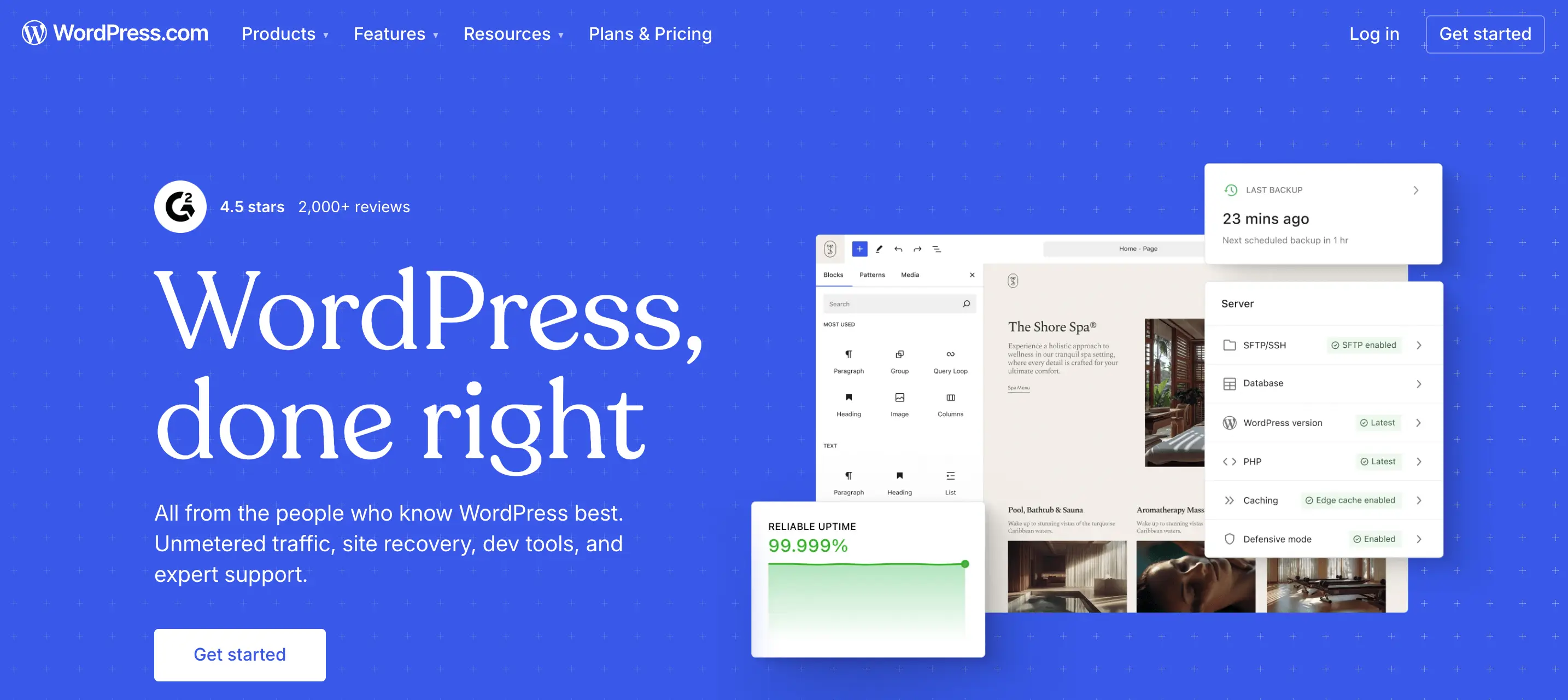
WordPress is the world’s most popular content management system (CMS), powering over 40% of all websites on the internet. Unlike Squarespace, WordPress is open-source software, which means it’s highly flexible and can be customized with thousands of themes and plugins.
Originally built as a blogging platform, WordPress has evolved into a versatile solution capable of powering everything from small blogs to enterprise-level websites. It’s the go-to choice for those who want complete control over their site’s design, features, and growth.
Ease of Use: Simplicity vs Flexibility
Squarespace has built its reputation on simplicity. Its interface is clean, beginner-friendly, and packed with stylish templates that look great without much effort. For someone who wants to launch a professional-looking site quickly, it’s hard to beat.
WordPress, by contrast, is more like a blank canvas. You’ll have more freedom, but with that comes responsibility. The dashboard may feel overwhelming at first, and getting the design you want can require experimenting with themes, plugins, or even a little coding.
- Squarespace = ready-to-wear fashion. Elegant, easy, but limited in choices.
- WordPress = tailor-made suit. It takes more work, but it fits exactly the way you want.
Design and Customization
When it comes to design, both platforms shine, but in very different ways.
Squarespace is known for its polished, modern templates. They’re designed by professionals, which means you can launch a portfolio, blog, or business site that already looks stunning. The downside? Customization has limits. You can tweak colors, fonts, and layouts, but only within the framework provided.

WordPress, on the other hand, offers thousands of themes, ranging from free minimalist designs to advanced, feature-packed templates. However, themes alone usually aren’t enough to achieve a truly unique or fully functional site.
That’s why many users extend their websites with page builders, plugins, or custom code. This combination of tools provides a high level of control, making WordPress ideal for people who want their websites to stand out and evolve over time.
- Squarespace: Great out-of-the-box designs, less flexibility.
- WordPress: Unlimited customization, but may require more effort.
Features and Functionality
The feature sets of Squarespace and WordPress reflect their overall philosophies.
Squarespace focuses on being an all-in-one platform. It includes blogging, scheduling, image galleries, and e-commerce right out of the box. Everything works smoothly without needing extra add-ons.
WordPress takes a different approach. It starts simple, but its true strength lies in plugins. There are over 60,000 available, covering everything from contact forms to membership systems. Need a podcast manager? A learning management system? A custom booking engine? WordPress has a plugin for it.
Here’s how they compare in functionality:
- Squarespace: Perfect for people who want built-in features that “just work.”
- WordPress: Ideal for those who need advanced, custom solutions.
Squarespace vs WordPress SEO
Search engine optimization (SEO) is a crucial factor for any website that wants to grow its audience. Here’s where differences become clear.
Squarespace offers built-in SEO basics: customizable titles, meta descriptions, SSL security, mobile-friendly templates, and automatic clean URLs. These features are enough for beginners and small sites, ensuring pages are optimized without much extra effort.
WordPress, however, takes SEO to another level. With plugins like Yoast SEO or Rank Math, you can fine-tune everything—XML sitemaps, schema markup, redirects, internal linking, and keyword optimization. This makes it the stronger option for content-heavy websites or businesses aiming for long-term organic growth.
In other words:
- Squarespace SEO is simple and effective for most small projects.
- WordPress SEO is powerful, advanced, and customizable for ambitious growth.
If SEO is your top priority, WordPress leads in the Squarespace vs WordPress SEO debate.

Blogging Experience
Both platforms can support a blog, but they feel very different in practice.
Squarespace blogs are straightforward. You can add posts, insert images, and schedule content easily. It’s ideal for someone who just wants a clean, simple way to share thoughts and updates.
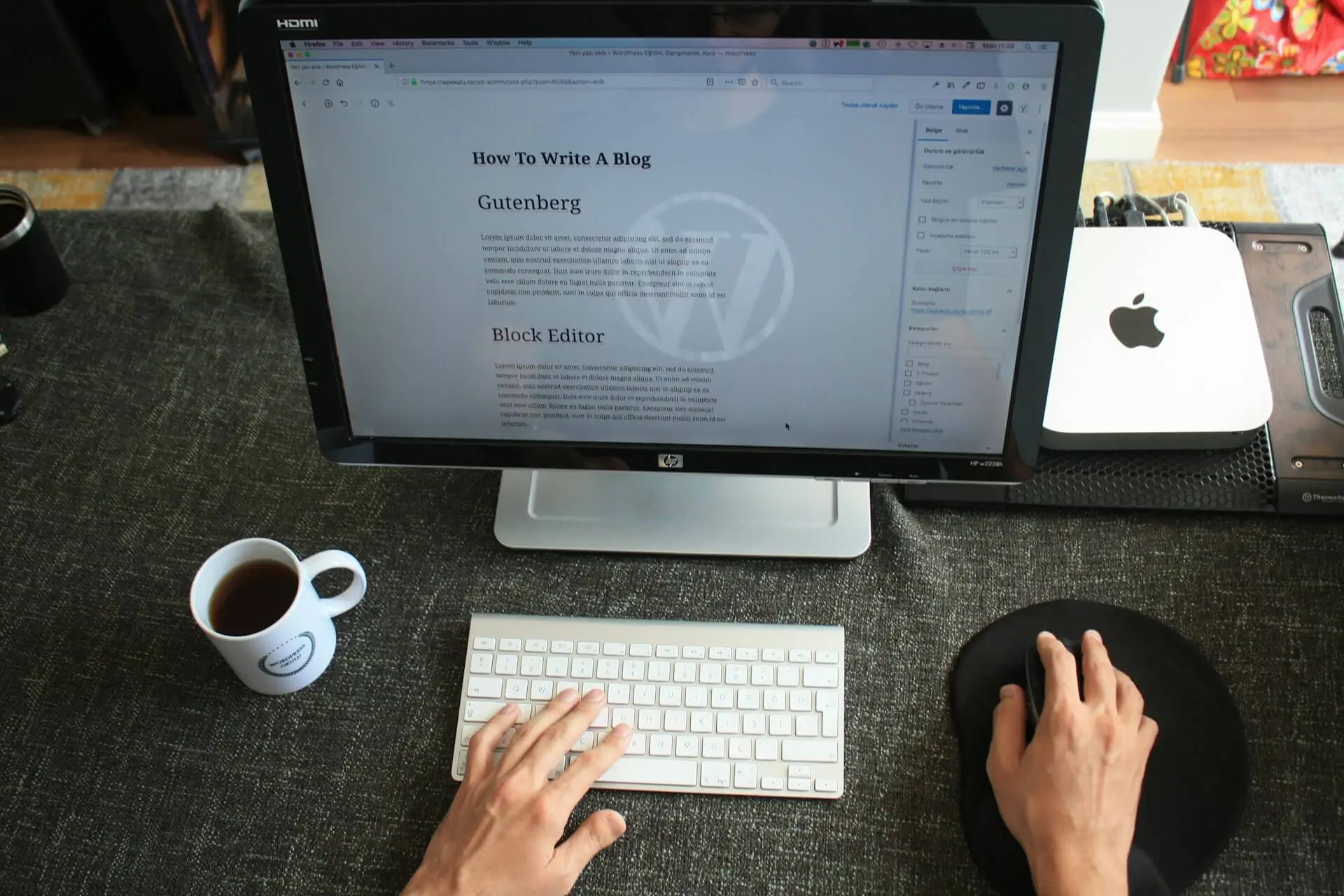
WordPress, however, was originally built as a blogging platform, and it shows. Its editor (Block Editor/Gutenberg) supports rich formatting, media embeds, categories, tags, and custom taxonomies. For content creators who publish regularly and want maximum control, WordPress remains the gold standard.
E-commerce Capabilities
Squarespace includes e-commerce features natively. Adding a store is simple, and managing products, payments, and inventory is streamlined. It’s excellent for small businesses or entrepreneurs who want to sell a handful of products without fuss.
WordPress doesn’t come with built-in e-commerce, but it integrates seamlessly with WooCommerce, one of the most powerful e-commerce solutions on the web. WooCommerce supports everything from small online shops to large-scale marketplaces with advanced features.

If your goal is a simple online shop, Squarespace is faster to set up. If you’re building something scalable and customizable, WordPress with WooCommerce is hard to beat.
Scalability and Long-Term Growth
One of the biggest questions to ask is: Where do I see my website in 2–5 years?
- Squarespace is perfect if you want a site that stays relatively simple: a portfolio, small business website, or blog that won’t require complex features.
- WordPress is better if you expect your website to grow significantly. Whether it’s adding a membership area, an online course, or scaling to thousands of posts, WordPress can handle it.
In summary:
- Squarespace = quick, stylish, manageable growth.
- WordPress = long-term scalability and advanced capabilities.
WordPress vs Squarespace: Who Should Choose What?

To make things clearer, let’s break it down by user type.
Squarespace is best for:
- Creatives who need visually appealing portfolios.
- Small businesses that want a professional site without technical hassle.
- Beginners who value ease of use over deep customization.
WordPress is best for:
- Bloggers and content creators who publish frequently.
- Businesses planning to scale their websites with advanced features.
- Anyone who wants total control over design, SEO, and functionality.
Final Thoughts
The Squarespace vs WordPress debate doesn’t have a single winner; it depends on your goals.
If you want simplicity, style, and an all-in-one solution, Squarespace is a fantastic choice. But if you crave flexibility, advanced SEO, and long-term scalability, WordPress is the platform for you.
When considering WordPress vs Squarespace, think about your own comfort level with technology, your need for customization, and your vision for future growth. Choosing the right builder now will save you time, effort, and frustration later.
So ask yourself: Do you want a site that’s quick and polished, or one that’s fully in your control? Once you answer that, the decision between Squarespace and WordPress becomes much easier. And if you’re still unsure about the best path forward, a skilled web developer can help you create a website that’s both effective and aligned with your goals.
If you’ve been wondering how to transform your online presence into a growth engine, here are 10 proven ways to leverage social media effectively.

1. Build a Strong Brand Presence
The foundation of success with social media as a marketing tool lies in creating a recognizable and trustworthy brand. A strong presence makes you memorable in a crowded feed.
To achieve this:
- Use consistent branding (colors, logos, fonts) across all platforms;
- Craft a clear bio that communicates your unique value;
- Post with a consistent tone of voice that reflects your brand personality.
Think of your social profiles as digital storefronts - first impressions matter. The more polished and consistent your presence, the more likely people are to follow and engage.
2. Engage With Your Audience
One of the biggest advantages of using social platforms is the ability to connect directly with your audience. Unlike one-way advertising, social platforms enable interactive dialogue with customers.
Here’s how to deepen engagement:
- Reply to comments and direct messages promptly;
- Ask questions in your captions to encourage interaction;
- Use polls, quizzes, and interactive stories to spark participation.
Customers are far more likely to support brands that make them feel heard. Consistent engagement nurtures confidence and deepens brand loyalty.
3. Leverage Paid Advertising
Organic reach is valuable, but paid campaigns take social media as a tool for marketing to the next level. Platforms like Facebook, Instagram, LinkedIn, and TikTok allow businesses to target specific demographics, interests, and behaviors.
Benefits of paid advertising include:
- Highly targeted audience reach;
- Detailed analytics to measure ROI;
- Opportunities to retarget people who already interacted with your brand.
Even a modest budget can yield strong results when campaigns are properly optimized.
4. Share Valuable Content
People don’t log onto social platforms to be bombarded with sales pitches. They come for content that educates, entertains, or inspires. That’s why sharing value-driven content is central to success with social media as a marketing strategy.

Content ideas include:
- Educational posts (how-tos, industry insights);
- Visuals like infographics, reels, or short videos;
- Behind-the-scenes content to humanize your brand.
A balanced content mix keeps your feed fresh and appealing while subtly showcasing your products or services.
5. Use Influencer Partnerships
Influencer marketing is no longer just for global brands, it’s an accessible and powerful tactic for businesses of all sizes. Partnering with influencers allows you to tap into pre-built communities that already trust their recommendations.
When thinking about how to use social media as a marketing tool through influencers, consider:
- Collaborating with micro-influencers (1k–50k followers) for higher engagement rates.
- Choose influencers whose audience reflects the market you want to reach.
- Creating authentic campaigns rather than forced promotions.
These partnerships can expand your reach and provide the social proof needed to boost conversions.
6. Run Contests and Giveaways
Contests and giveaways are excellent tactics to boost visibility and engagement in a short period. People love the chance to win something, and they’re often willing to share your page or tag friends to enter.
Effective giveaway strategies include:
- Asking participants to follow your page;
- Encouraging tagging of friends or sharing posts;
- Offering a prize that aligns with your brand (not just generic rewards).
This method not only increases followers but also generates buzz around your products or services.
7. Analyze and Optimize Performance
One of the major strengths of social media as a marketing channel is the ability to track performance in real time. Unlike traditional campaigns, you can measure exactly what works and what doesn’t.
Steps to optimize:
- Monitor engagement metrics (likes, shares, comments);
- Track reach, impressions, and click-through rates;
- Adjust posting times, formats, or targeting based on results.
Regular analysis allows you to refine your strategy, ensuring every post contributes toward your broader goals.

8. Leverage Social Listening
Social listening goes beyond analytics; it’s about understanding how your audience perceives your brand and industry. By monitoring conversations, you can gather insights to improve products, services, and customer experience.
Practical steps:
- Use tools like Hootsuite or Brandwatch to track mentions;
- Respond to both positive and negative feedback;
- Identify trending topics to create timely, relevant content.
This proactive approach helps you stay ahead of competitors and connect with your audience on a deeper level.
9. Drive Traffic to Your Website
While social platforms are great for brand visibility, your ultimate goal should be directing users to your website, where conversions happen.
Here’s how to do it effectively:
- Add CTAs to posts that link back to landing pages;
- Use link-in-bio tools to showcase multiple offers;
- Share blog posts, case studies, or product pages directly.
By aligning social media with your website, you create a seamless funnel that guides followers toward becoming customers. A well-designed website with strong user experience is essential here, it ensures that once visitors land on your site, they can easily navigate, find information, and complete actions without friction.
10. Create a Social Strategy Marketing Plan
Random posting isn’t enough. To maximize impact, you need a structured plan that aligns with your business goals. A well-designed social strategy marketing plan ensures you’re not just active but strategic.
Elements of a strong plan include:
- Defining clear objectives (brand awareness, leads, sales);
- Identifying your target audience and their behaviors;
- Establishing KPIs to measure success;
- Creating a content calendar for consistent posting.
This roadmap ensures that your efforts are intentional, measurable, and scalable.
Frequently Asked Questions
1. Why is social media important as a marketing tool?
Social media gives businesses direct access to their audience. Unlike traditional channels, it allows for real-time engagement, targeted advertising, and measurable results. By using social media as a marketing tool, companies can build brand awareness, drive traffic, and convert followers into loyal customers - all at a fraction of the cost of traditional advertising.
2. How do I start using social media as a marketing channel?
The first step is choosing the right platforms where your target audience spends time. Once selected, focus on building a strong brand profile, posting consistently, and engaging with followers. As you grow, you can expand into paid campaigns and influencer partnerships to maximize your reach with social media as a marketing channel.
3. What type of content works best on social media for marketing?
It depends on your audience, but generally:
- Short-form videos and reels for quick engagement;
- Educational posts, infographics, and blogs for value-driven content;
- Behind-the-scenes stories to humanize your brand.
The key is mixing formats and keeping your posts aligned with your brand’s goals.

4. In what ways can small businesses use social media as a marketing strategy?
Small businesses can use social media as a marketing approach to compete with larger companies by targeting niche audiences and creating authentic connections. Even with limited budgets, tools like organic posting, local hashtags, and micro-influencer collaborations can generate awareness and loyal customers.
5. How do I measure success when using social media as a marketing tool?
Success is measured through analytics. Look at key performance indicators such as engagement rate, click-throughs, follower growth, and conversions. Most platforms provide insights that help you understand what’s working. Combining this data with your business goals will show whether your social strategy is paying off.
Conclusion
Leveraging social media as a marketing approach is no longer optional; it’s essential. By building a strong presence, engaging with your audience, investing in advertising, and following a structured strategy, you can turn social platforms into growth engines for your business.
These tactics, ranging from influencer partnerships to analytics-driven decisions, provide a blueprint to maximize your results. The key is consistency: social media rewards brands that show up, deliver value, and connect authentically.
Begin with small steps, track your results, and adjust your approach as needed. Over time, these efforts compound, positioning your brand for greater visibility, stronger customer relationships, and measurable business growth.
In this beginner’s guide, I’ll walk through the most important UX design principles you need to know. You’ll learn how to think like a user, structure content clearly, and make smart design decisions that lead to better results.
Understanding UX in Digital Design
User Experience, or UX, refers to how people interact with a product or service, especially digital ones like websites or apps. It’s about more than just visuals. Good UX considers how intuitive, efficient, and satisfying the experience is for the user.
The principles of UX design serve as a foundation for creating digital products that meet user needs and reduce friction. When applied correctly, these principles help guide users effortlessly through a flow, whether it’s reading content, signing up, or making a purchase.
Designing with UX in mind means putting users first. It involves empathy, problem-solving, and constant testing. As you learn to follow strong UX design principles, your designs will become more accessible, effective, and enjoyable for real users.

UX Design Principles Every Beginner Should Know
1. Clarity
A clear interface makes users feel confident. When users land on a page, they should immediately understand what the site or app does and what action to take next. Confusing layouts, vague labels, or cluttered screens can quickly lead to frustration or drop-offs.
To improve clarity, use plain language, meaningful visuals, and intuitive layouts. Prioritize important information and make interactive elements (like buttons or links) easy to recognize. Remember, users shouldn’t have to think twice about where to go or what to do.
Quick ways to enhance clarity:
- Use familiar icons and patterns;
- Avoid jargon or technical language;
- Make calls-to-action stand out;
- Stick to a clean, visual hierarchy.
2. Consistency
Consistency helps users feel comfortable. When layouts, colors, and functions behave the same way across pages, users don’t have to re-learn the interface every time they interact with something new.
This applies not only to visuals (like buttons, colors, or spacing) but also to tone of voice and navigation patterns. A consistent design language helps build trust and keeps the user focused on the task, not on figuring out how your site works.
3. Feedback
Every action should have a reaction. Whether a user clicks a button, uploads a file, or submits a form, your interface should acknowledge that something happened.
Good feedback prevents confusion and helps users stay in control. Examples include micro-interactions like hover effects, confirmation messages, error alerts, and progress indicators. Even small details like a button changing color when clicked contribute to a smoother user experience.

4. Hierarchy
Hierarchy is about guiding attention. Users don’t read every word or look at every corner of the screen, they scan for what matters. Your job is to help them spot what’s important.
Use size, spacing, contrast, and grouping to establish a clear visual path. Headlines should be more prominent than body text. Primary actions should stand out more than secondary ones. Strong hierarchy leads users through your content smoothly and intentionally.
Hierarchy tips:
- Use larger font sizes for headings;
- Group related items visually;
- Make CTAs more prominent than navigation links;
- Use whitespace to separate content zones.
5. Accessibility
An inclusive product works for everyone. Accessibility ensures that users with visual, auditory, motor, or cognitive challenges can still interact with your site or app effectively.
Basic accessibility practices include providing alt text for images, ensuring good color contrast, supporting keyboard navigation, and using semantic HTML. By designing with accessibility in mind, you also improve the overall UX for everyone, not just those with disabilities.
6. User Control
Users want to feel in charge, not trapped by your design. That means allowing them to undo actions, exit popups easily, or navigate back without losing progress.
For example, include “Cancel” buttons alongside “Submit,” allow users to preview changes, and avoid auto-saving irreversible actions. Empowering users helps build trust and reduces the fear of making a mistake.

7. Simplicity
The best interfaces feel effortless. Simplicity is about stripping away the non-essential to help users complete their tasks without distraction.
Limit options, streamline workflows, and avoid decorative elements that don’t serve a purpose. A simple interface doesn't mean basic or boring; it means focused, purposeful, and user-friendly.
Mobile UX Design Key Principles
Designing for mobile requires a slightly different mindset. Smaller screens, touch-based interactions, and varying internet speeds all influence how users experience your product. While the core UX design principles still apply, there are specific considerations when it comes to mobile environments.
The mobile UX design key principles revolve around simplicity, speed, and accessibility. Users often engage with mobile apps or sites while on the go, so they expect fast load times, clear navigation, and minimal effort to complete tasks. A cluttered or unresponsive mobile design can quickly push users away.

Best practices for mobile UX design:
- Prioritize thumb-friendly navigation and tap targets;
- Use clear, concise copy and remove unnecessary steps;
- Optimize images and code for fast loading;
- Stick to a single-column layout for better readability;
- Make sure buttons are easy to see and press.
In mobile design, less truly is more. The fewer obstacles you place between the user and their goal, the better the experience. Always test designs on multiple devices and screen sizes to ensure they remain usable and intuitive no matter how they’re accessed.
UX Pitfalls Beginners Should Watch Out For
Even with a solid understanding of UX design principles, it’s easy to slip into habits that unintentionally harm the user experience. Recognizing and avoiding common UX mistakes is just as important as knowing what to do right.
Many beginners tend to overdesign, adding too many features, visuals, or options in an attempt to impress. This often leads to clutter, confusion, and decision fatigue for the user. Others might overlook accessibility or forget to test designs across different devices and screen sizes.
Here are a few common UX mistakes to avoid:
- Ignoring mobile responsiveness;
- Overloading users with too many choices;
- Using unclear or generic navigation labels;
- Failing to provide user feedback for interactions;
- Designing for aesthetics instead of usability;
- Neglecting real user testing and feedback.
Following UX design principles doesn’t mean your design has to be complex. In fact, the best experiences are often the simplest. Always aim to reduce friction, support user goals, and keep things intuitive.

Conclusion: Start Designing with UX in Mind
Strong user experience isn’t just a nice-to-have; it’s the foundation of any successful digital product. By applying these core UX design principles, you can create websites and applications that are clear, intuitive, and truly user-friendly. Whether you're designing for desktop or mobile, a user-first mindset leads to better engagement and long-term growth.
If you're looking for guidance from a user experience designer who understands how to combine strategy, usability, and clean design, I’m here to help. I create thoughtful, functional, and conversion-focused experiences that align with both user needs and business goals.
Ready to create a better experience? Let’s talk about how I can improve your product through smart, user-centered design.
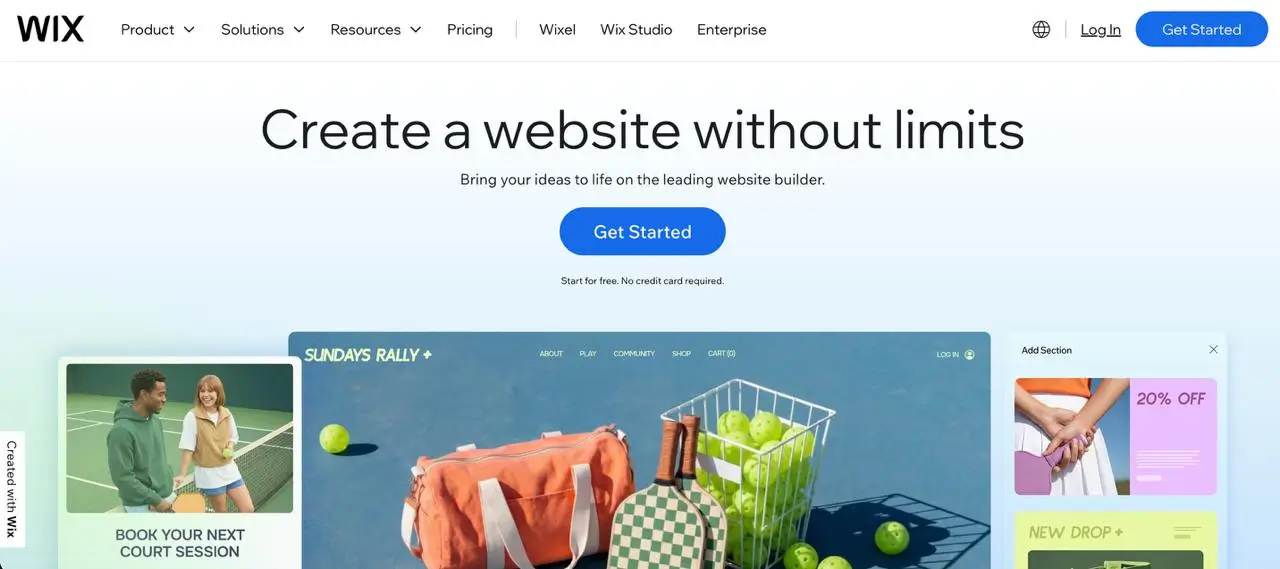
In this article, I’ll compare Webflow vs Wix across key areas like design flexibility, content management, SEO features, and scalability, helping you decide which platform best fits your current needs and future goals.
What Are Webflow and Wix?
Webflow and Wix are both website builders designed to help users create professional-looking websites without writing code. However, they cater to different needs and levels of experience.

Wix is known for its user-friendly drag-and-drop interface that makes it easy for beginners to get started quickly. It offers a wide range of templates, built-in features, and automation tools, making it a go-to for personal projects, small businesses, and portfolios.
Webflow, on the other hand, is built with designers and developers in mind. It provides much more control over layout, animations, and site structure. With Webflow, users can create complex, custom designs that are cleanly coded and fully responsive. It's often chosen by businesses and agencies that need flexibility and scalability from day one.
While both platforms aim to simplify the website creation process, they differ significantly in their approach, capabilities, and long-term potential.
How Much Creative Freedom Do You Get?
One of the biggest differences between Webflow vs Wix lies in how much design control each platform offers.
Wix uses a drag-and-drop editor that allows users to move elements freely across the page. It's beginner-friendly and offers a wide variety of templates, but the customization options are limited once you go beyond the basics. Advanced layout adjustments or pixel-perfect design can be challenging, especially for users with a specific creative vision.
Webflow gives you far more freedom when it comes to design. It functions more like a visual development tool, letting you control every detail of your site’s layout, from grid systems to animations. If you have design experience or want to translate high-fidelity mockups directly into your site, Webflow makes it possible. You can also add custom code, giving you the ability to build highly tailored experiences.
If you want quick results with minimal effort, Wix may be enough. But for those seeking creative precision and a more scalable design system, Webflow clearly leads.
Which Platform Handles Content Better?
As your website grows, managing content efficiently becomes essential. This is where the differences between Webflow vs Wix become more noticeable.
Wix offers basic content management through its editor. You can create blog posts, product listings, and other static pages, but the CMS is not as flexible when it comes to custom content structures. For most small sites, it works well, but as your content needs become more complex, Wix can feel limiting.

Webflow includes a robust built-in CMS that’s ideal for dynamic content. You can create custom content types, define your own fields, and use the CMS to generate collections like blog posts, team profiles, case studies, or product libraries — all from a single database. It’s especially useful for content-heavy websites that require consistency, scalability, and dynamic filtering.
For content creators, marketers, or anyone managing more than a handful of static pages, Webflow’s CMS offers more flexibility and power.
SEO Features and Website Speed
Search engine visibility and fast load times are non-negotiable for websites aiming to grow. Both platforms offer built-in SEO tools, but there are clear differences in control and performance.
Wix provides a user-friendly SEO setup that works well for beginners. You can edit page titles, meta descriptions, and image alt text, and there’s a guided SEO checklist to help you get started. However, limitations exist when it comes to advanced settings like structured data or custom redirects.
Webflow offers much more granular SEO control. Users can customize every SEO detail, including canonical tags, open graph settings, schema markup, and 301 redirects. Because Webflow generates clean HTML and CSS without unnecessary bloat, websites tend to load faster and perform better in search rankings.
In terms of performance, Webflow’s hosting is optimized for speed and scalability. While Wix has improved its infrastructure, it may still struggle to match Webflow’s efficiency on larger, content-heavy sites.
For businesses that rely on organic traffic and fast user experiences, Webflow is the more SEO- and performance-friendly option.
Is It Built to Scale with Your Business?
If you’re building a site with long-term goals in mind, scalability should be a top priority. The ability to grow your content, features, and user base without rebuilding from scratch is what separates a good platform from a great one.

Wix is ideal for smaller websites that won’t require significant structural changes over time. It handles simple e-commerce, blogging, and service-based sites well, but when it comes to larger content libraries or complex user interactions, it can become restrictive. Custom workflows, team collaboration, and advanced integrations are limited unless you use third-party tools.
Webflow is better suited for long-term growth. It supports structured content, third-party integrations, custom code, and advanced design systems, making it a go-to choice for startups, agencies, and enterprise-level sites. Webflow also includes features like version control, staging environments, and team access — all of which help support larger-scale operations.
When it comes to growing with your needs, the edge clearly goes to Webflow. Its flexibility allows you to scale your site alongside your business without hitting roadblocks.
Use case comparison like Wix vs Webflow highlights these differences best: Wix works for quick, templated solutions, while Webflow supports customization and scalability from day one.
Key Advantages and Drawbacks
Webflow Pros
- Full design control with pixel-perfect precision;
- Robust CMS for dynamic content;
- Clean code output for better SEO;
- Scalable structure ideal for growing businesses;
- Advanced features like custom code, staging, and team collaboration.
Webflow Cons
- Steeper learning curve for beginners;
- Higher starting price compared to Wix;
- More technical setup for e-commerce and apps.

Wix Pros
- Easy-to-use drag-and-drop editor;
- Wide range of templates and built-in features;
- Affordable starter plans;
- Ideal for personal sites and small businesses.
Wix Cons
- Limited design flexibility;
- CMS is basic and not ideal for scaling;
- Slower performance on complex or large sites;
- Advanced features often require third-party apps.
Conclusion: So, Which Should You Choose?
Both Webflow and Wix are strong website builders, but they serve different needs. Wix is a great starting point for small websites, personal projects, and users who want a quick setup with minimal effort. Webflow, on the other hand, is built for those who need more design flexibility, control over content structure, and a platform that can scale alongside their business.
If you're looking to create a website that not only looks great but is also built to grow, investing in a more customizable and scalable solution can save time and effort in the long run.
Need help designing and developing a website that fits your goals? I can help bring your vision to life with a professional, high-performing site tailored to your brand and needs.
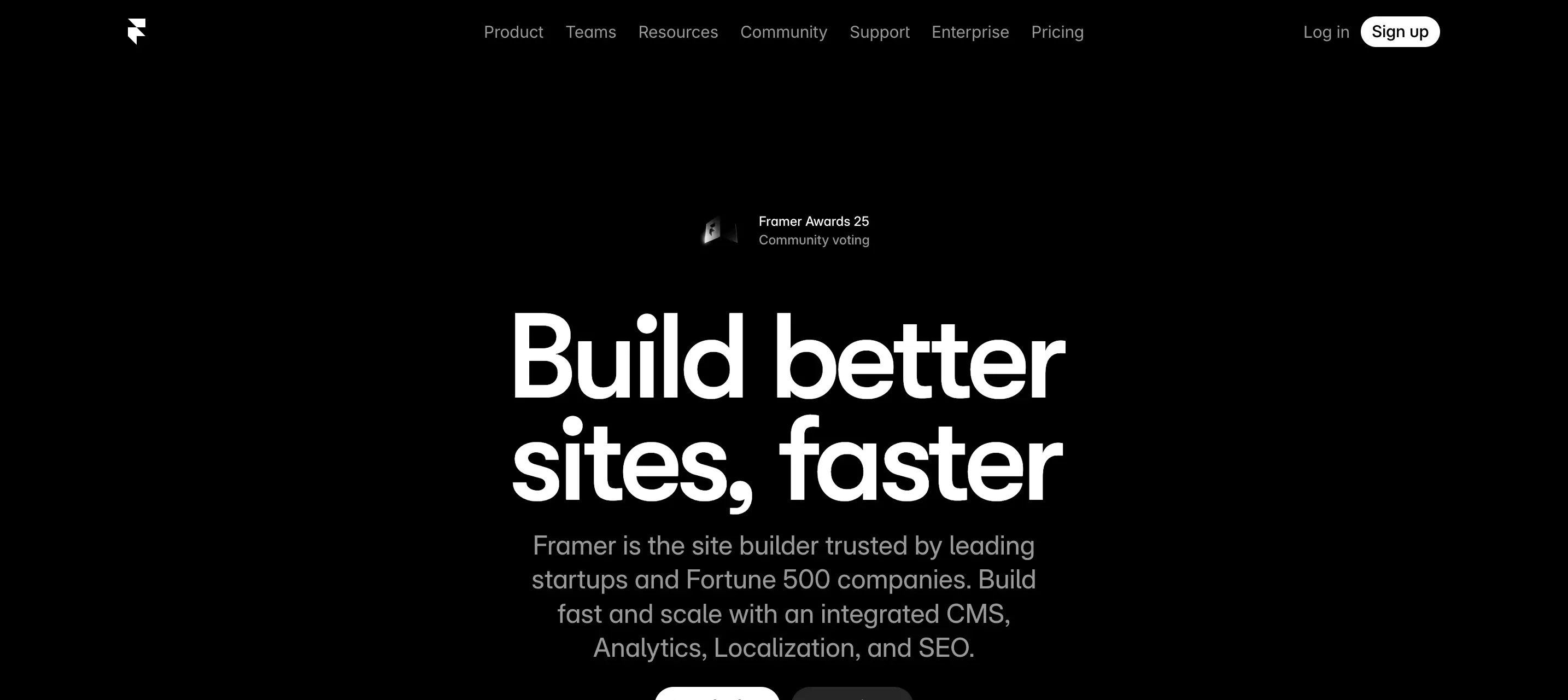
Framer and Webflow are two of the most widely discussed tools today. Both are powerful, no-code platforms designed for modern web design, but they approach the process differently. One prioritizes visual speed and ease, while the other offers structured control and scalability.
In this article, I’ll break down the debate of Framer vs Webflow - looking at what each platform is, how they compare in key areas like design, performance, and which one might be the right fit for your next landing page project.

Webflow is a powerful no-code website builder that combines visual design, CMS functionality, and hosting in one platform. It allows designers and marketers to create custom websites without relying on developers, while still offering full control over structure, layout, and responsiveness.
Unlike template-based builders, Webflow gives users the freedom to create fully responsive and pixel-perfect layouts from scratch. It also includes built-in SEO tools, dynamic content through its CMS, and advanced animation capabilities.
Many agencies and startups use Webflow for launching landing pages, company websites, and even blogs or resource libraries. It’s especially popular among users who want design freedom without giving up scalability.
The platform also offers the popular Webflow University, a free platform packed with educational resources.
What Is Framer?

Framer is a modern website builder designed for speed, simplicity, and visual impact. Originally built as a prototyping tool for designers, Framer has evolved into a full no-code platform for creating production-ready websites, especially landing pages.
With Framer, users can design and publish directly on the canvas, using intuitive controls, smart layout features, and built-in animations. It’s known for its lightning-fast load times, clean design defaults, and a growing library of components and templates.
Framer also includes AI tools that help users generate page sections, write content, and style layouts automatically. This makes it a popular choice for startups, freelancers, and creators who want to launch quickly and iterate often.
Framer vs Webflow: Key Differences
Both Webflow vs Framer are powerful tools for building websites, but they offer different strengths depending on your needs. Below is a breakdown of how they compare across key areas:
Ease of Use
- Framer: Beginner-friendly with a clean interface and fewer settings to manage. Ideal for quick builds and real-time visual feedback.
- Webflow: Offers more granular control but has a steeper learning curve, especially for new users.
Design Flexibility
- Framer: Great for simple, stylish layouts with built-in spacing and animation defaults. Limited custom structure options.
- Webflow: Allows full layout and design customization, including complex grids, responsive breakpoints, and reusable classes.
Animation and Interactions
- Framer: Includes smooth, built-in animations and transitions. Easy to use for scroll effects and hover states.
- Webflow: Offers advanced animation control with triggers and timelines. Better for complex, custom interactions.
CMS and Blogging Capabilities
- Framer: Limited CMS functionality focused on static content. More suitable for single pages or small portfolios.
- Webflow: Full CMS with dynamic content collections, perfect for blogs, case studies, and resource hubs.

AI and Automation Tools
- Framer: Includes built-in AI features to generate sections, copy, and layout ideas.
- Webflow: No native AI tools, but offers strong integrations with automation tools like Zapier and Make.
Templates and Community
- Framer: Rapidly growing template library and a strong community of indie designers.
- Webflow: Larger ecosystem with thousands of templates, tutorials, and a mature community.
Scalability and Use Cases
While both Framer and Webflow can handle landing pages with ease, their long-term scalability differs depending on your project needs.
Framer
Framer is best suited for lightweight, visually engaging sites. It’s ideal for:
- One-page websites and product launches;
- Startup landing pages;
- Personal portfolios or resumes;
- Quick MVPs and design experiments.
Although Framer sites can grow with added pages, it’s not designed for content-heavy websites or complex structures. CMS features are limited, and large-scale site management may require workarounds.
Webflow
Webflow offers the flexibility and infrastructure to scale. It’s a strong choice for:
- Multi-page websites and marketing funnels;
- Blog or content-driven platforms;
- Agencies and design teams;
- Businesses needing CMS, forms, and third-party integrations.
With reusable components, CMS collections, and logic workflows, Webflow supports not just landing pages but full web ecosystems.
If you're planning to grow beyond a single page or manage multiple campaigns, Webflow may be the more scalable solution. For quick, stunning launches, Framer is often the faster path forward.

Which One Should You Use?
Both Framer and Webflow are excellent tools for building landing pages, but your choice should come down to long-term goals, design needs, and the type of site you want to create.
Choose Framer if you want:
- A fast, visually simple landing page;
- Built-in animations and modern design defaults;
- Quick publishing with minimal setup;
- AI-assisted layout and content tools;
- A lightweight solution for personal or single-page projects.
Framer is ideal for solo creators, MVP launches, and anyone who wants to move quickly without getting into technical details.
Choose Webflow if you want:
- Full control over layout, structure, and design system;
- A platform that scales from one landing page to a full marketing site;
- Built-in CMS for blogs, case studies, or product listings;
- Advanced animations and custom interactions;
- More SEO flexibility and integration options.
Webflow takes more time to learn, but it offers unmatched design freedom combined with production-grade infrastructure. If your project involves more than a static page, or may grow into one, Webflow is the better long-term investment.

Conclusion
Framer and Webflow each offer powerful solutions for building high-performing landing pages. Framer focuses on speed, simplicity, and modern design, making it ideal for creators who want to move fast. Webflow, with its deeper customization and CMS features, is better suited for businesses looking to scale and maintain more complex websites.
Your choice depends on your goals, timeline, and how much flexibility you need.
If you're exploring options or need guidance on building smarter with no-code tools, I offer no code development services tailored to your needs, whether it's launching a new landing page or creating a scalable web presence.
Let’s build something that works for your vision.
From tried-and-true tactics like email and SEO to emerging trends like AI-driven personalization and community-based campaigns, the marketing landscape is constantly evolving. Whether you're launching a startup or refining a global strategy, understanding the different types of marketing, and when to use them, can give you a competitive edge.
In this guide, I’ll break down the types of marketing that matter most today, including key digital channels, and tips that help shape them. Let’s explore what’s working now, and what might work for you.

What Are the Main Types of Marketing Today?
Marketing has become more layered than ever before. To make sense of it all, it helps to group the many approaches into three core categories: traditional marketing, digital marketing, and hybrid methods that blend the two. Each category plays a distinct role, depending on your audience, industry, and goals.
Let’s take a quick look at how these categories break down:
- Traditional Marketing refers to offline methods such as TV, radio, print ads, and direct mail. These were once the backbone of every campaign and are still effective for certain demographics.
- Digital Marketing includes all online efforts, from social media and email to search engine strategies and paid ads. This is where most brands invest today.
- Hybrid Marketing combines digital and traditional channels. For example, a QR code on a printed flyer that leads to an online landing page creates a seamless experience between physical and digital worlds.
Understanding the different types of marketing within each category helps you build smarter strategies and reach people where they are.
Digital Marketing: The Core of Modern Strategy
When it comes to reaching today’s audiences, digital marketing is at the heart of it all. It covers a wide range of strategies that allow businesses to connect with people online, whether they’re browsing social media, searching on Google, or checking their inbox. Below are the most common and effective types of digital marketing in use today.
Content Marketing
This strategy focuses on creating useful, engaging content that informs or entertains. From blog posts and guides to videos and case studies, content marketing helps build trust and guide potential customers through their journey.

SEO (Search Engine Optimization)
SEO improves your visibility in search engines like Google. By optimizing website content and structure, businesses can attract more organic traffic and rank for the keywords their audience is actively searching for.
Social Media Marketing
Social media platforms offer a powerful way to build brand presence and community. Whether it’s TikTok, Instagram, LinkedIn, or Facebook, the right strategy can increase engagement, drive traffic, and boost conversions.

Email Marketing
Email remains one of the most cost-effective types of digital marketing. It’s ideal for nurturing leads, promoting new products, and keeping your brand top-of-mind with targeted newsletters and automated campaigns.
Influencer Marketing
Partnering with influencers allows brands to tap into existing audiences. These collaborations often bring credibility and visibility, especially in industries where peer recommendations matter most.
Paid Advertising (PPC & Display Ads)
With paid ads, businesses can reach people through search engines, social platforms, or third-party websites. Pay-per-click (PPC) and display advertising offer fast results, detailed targeting, and measurable ROI.
Affiliate Marketing
In affiliate marketing, external partners promote your product or service and earn a commission for each sale or lead. It’s a performance-driven strategy that works well for e-commerce and online services.
From visibility to conversion, these types of digital marketing offer a flexible toolkit for businesses of all sizes.
Traditional and Offline Marketing That Still Works
While digital strategies dominate today’s landscape, traditional marketing still plays an important role, especially for brands targeting local audiences, running physical storefronts, or looking to build trust through high-touch experiences. These offline methods may not offer the same level of tracking as digital campaigns, but they continue to deliver results when used strategically.
Here are some of the most enduring types of traditional marketing:
Print Advertising
From magazine ads to brochures and flyers, print remains a tangible way to share your message. It’s especially useful for trade shows, local promotions, or direct mail campaigns aimed at a specific geographic area.
TV and Radio Commercials
Though costly, broadcast ads can generate massive reach and brand awareness. Television still captures wide attention, while radio remains effective during commuting hours or on niche stations with loyal audiences.
Direct Mail
Sending postcards, catalogs, or promotional offers straight to mailboxes can create a personal connection, if the offer is relevant. Direct mail is often used for local businesses, real estate services, and appointment-based industries.
Event Marketing
Trade shows, pop-up events, conferences, and community sponsorships all fall into this category. These offline touchpoints give customers a real-world experience with your brand, building trust and engagement.
Outdoor Advertising (Billboards & Transit Ads)
Out-of-home advertising captures attention where people live, work, and commute. Strategically placed billboards, bus stop posters, and vehicle wraps are hard to miss and great for local visibility.
Even in the digital age, these traditional methods still work, especially when paired with online strategies. A flyer with a QR code, a print ad with a campaign-specific URL, or a billboard with a social media handle creates a seamless connection between offline and digital worlds.
Emerging & Hybrid Marketing Tactics
As technology and consumer behavior evolve, so do the ways brands connect with audiences. Beyond traditional and digital methods, a new wave of marketing tactics is gaining traction, blending creativity, interactivity, and data to deliver memorable, multi-channel experiences.
Here are some of the most innovative and hybrid types of marketing emerging today:
Experiential Marketing
This strategy creates real-life, immersive experiences that allow people to interact with a brand in memorable ways. From pop-up installations to live demos, experiential marketing focuses on emotional impact and lasting impressions.
Guerrilla Marketing
Often low-budget but high-impact, guerrilla marketing uses surprise, creativity, or unconventional tactics to grab attention in public spaces. It’s bold, visual, and designed to go viral, especially when captured and shared online.
Conversational Marketing
With the rise of chatbots, messaging apps, and live chat, conversational marketing allows brands to engage in real-time, one-on-one conversations with customers. It shortens the path to purchase and provides a more personalized experience.

Omnichannel Marketing
Omnichannel marketing integrates online and offline touchpoints into one cohesive experience. Whether a customer sees your ad on Instagram, visits your store, and later receives a follow-up email, the brand message remains consistent across all platforms.
AI-driven Personalization
AI tools can now predict user behavior and deliver tailored content, product recommendations, or offers. Personalization powered by AI improves engagement and conversion rates by making each customer interaction feel more relevant.
Community-based Marketing
This strategy focuses on building brand loyalty through shared values and ongoing engagement. It involves nurturing online communities, user groups, or ambassador programs where customers feel heard and connected.
What Works Now: Choosing the Right Types of Marketing for Your Business
With so many marketing options available, the most important step is choosing the ones that make sense for your business. There's no single best strategy - what works depends on your audience, goals, resources, and how you deliver value.
Match Your Strategy to Your Audience
Start by understanding who you're trying to reach. B2B companies often benefit from SEO, email, and LinkedIn marketing, while B2C brands might lean into social media, influencer partnerships, or experiential campaigns. Consider where your audience spends time and how they prefer to interact with brands.
Combine for Impact
The most effective marketing today often comes from mixing channels. You might pair content marketing with paid ads, or support a print campaign with a targeted landing page. Blending digital and traditional methods can create a seamless experience that keeps your brand top-of-mind at every stage of the customer journey.
Test, Learn, Adjust
No strategy is perfect from the start. Launch small campaigns, track the results, and make changes based on what’s working. Whether you’re experimenting with a new platform or adjusting your email cadence, a test-and-learn mindset helps you stay relevant in a fast-changing environment.

Choosing the right types of marketing is less about doing everything and more about doing the right things well. Start with what aligns with your goals, measure consistently, and stay flexible. That’s what works now.
Conclusion
Marketing today is all about choosing the right mix of strategies that align with your goals and audience. From digital channels to traditional methods, understanding the different types of marketing helps you make informed, impactful decisions.
If you're not sure where to start, I can help you shape a digital strategy that enhances your online presence. Whether it's optimizing your website or refining your content, we'll build a foundation that supports your growth.
Time to set your brand in motion.