Blog
Our blog

0min
|
Website
|
Web Design
|
Company Website Design Basics: What Every Business Should Know
Your website is often the first place potential customers go to learn about your business. It’s more than just an online presence; it’s a key part of how people perceive your brand and decide whether to work with you. For small companies in particular, a strong website can be a powerful tool for building trust, generating leads, and standing out from the competition.
Good company website design isn’t just about visuals. It’s about clear messaging, easy navigation, and creating an experience that guides visitors toward taking action. Whether you’re launching your first site or thinking about a redesign, understanding the fundamentals of what makes a business website effective is essential.
This guide covers the basics of company website design, key elements every site should have, and real-world tips to help you build a site that works for your business.

What Is Company Website Design?
Company website design is the process of creating a professional online presence that reflects your brand, communicates your value, and supports your business goals. It combines layout, visuals, structure, and functionality to create a user-friendly experience that helps visitors understand who you are and what you offer.
At its core, effective company website design balances form and function. It not only looks good but also helps users navigate easily, find key information quickly, and take meaningful actions, like filling out a contact form, requesting a quote, or making a purchase.
For small businesses, good design is especially important. You might not have the brand recognition of larger competitors, so your website needs to build credibility fast. The best small company websites do this by being clear, focused, and intentional, with messaging and design choices tailored to their audience.
Why Good Website Design Matters for Your Business
A well-designed website does more than look professional, it plays a direct role in how people perceive, trust, and interact with your business. For many visitors, your website is the first and only chance to make a strong impression. If it feels outdated, confusing, or hard to navigate, they’re likely to leave and look elsewhere.
Here’s why investing in good company website design is worth it:
- Builds Trust Instantly: A clean, modern design gives the impression that your business is professional, credible, and capable. This is especially important for small businesses looking to compete with larger brands.
- Improves User Experience (UX): A well-structured layout, easy navigation, and mobile-friendly design make it simple for visitors to find what they need, without frustration or confusion.
- Increases Conversions: Whether your goal is more calls, form submissions, or online purchases, a focused website design can guide users toward action and boost your conversion rates.
- Strengthens Your Brand: Your website should reflect your brand’s identity, from colors and fonts to voice and messaging. Consistent branding helps your business become more recognizable and strengthens trust with your audience over time.
- Supports SEO and Visibility: Search engines favor well-structured, mobile-optimized sites. Good design lays the foundation for better search rankings and more organic traffic.

Key Elements of Effective Company Website Design
A successful company website is more than just attractive visuals - it’s a combination of practical, user-focused elements that work together to create a seamless and professional experience. Below are the essential components every business site should include:
1. Clear Navigation
Visitors should be able to find what they’re looking for within a few clicks. Clear navigation keeps users engaged and helps them move through your site with ease. Confusing or cluttered menus can cause frustration and lead to high bounce rates.
Make sure your main navigation is easy to locate, logically organized, and includes only the most important links.
Best practices:
- Use a simple top menu with clear labels (e.g., Home, About, Services, Contact);
- Keep navigation consistent across all pages;
- Include a search bar for larger websites;
- Use breadcrumb trails if the site has multiple layers.
2. Mobile Responsiveness
With more users browsing on smartphones and tablets, a mobile-friendly design is non-negotiable. A responsive website automatically adjusts to different screen sizes, providing a smooth experience across all devices.
Best practices:
- Use flexible layouts and scalable images;
- Prioritize fast loading times on mobile;
- Test on multiple screen sizes before launch;
- Keep buttons and links easy to tap.

3. Fast Load Time
Slow-loading websites often cause visitors to leave quickly and can significantly reduce conversion rates. Users expect pages to load quickly, especially on mobile. A delay of even a few seconds can result in lost business.
Optimizing your site’s speed not only improves user experience but also helps with search engine rankings.
Best practices:
- Compress images without losing quality;
- Minimize the use of heavy scripts and plugins;
- Use caching and a content delivery network (CDN);
- Choose fast, reliable hosting.
4. Strong Branding
Your website should instantly reflect your company’s identity. Consistent use of colors, fonts, logos, and tone of voice builds trust and recognition. It also gives your business an edge over the competition.
Whether you're a law firm or a local bakery, your site should “feel” like your business.
Best practices:
- Use your brand colors and fonts consistently;
- Display your logo prominently;
- Align imagery and messaging with your brand tone;
- Avoid using generic stock content.
5. Compelling Calls to Action (CTAs)
Every page should guide visitors toward the next step, whether that’s booking a call, signing up for a newsletter, or requesting a quote. Effective CTAs are clear, visible, and action-oriented.
Your CTAs should match the user’s intent and be placed in strategic spots throughout the site.
Best practices:
- Use direct, benefit-driven language (e.g., “Get a Free Quote”);
- Place CTAs above the fold and after key content sections;
- Use contrasting button colors to draw attention;
- Limit distractions near CTAs.
6. Contact Info & Social Proof
Make it easy for visitors to get in touch. Displaying contact details clearly, and including elements like testimonials, reviews, and client logos, builds trust and credibility.
People are more likely to reach out when they feel confident in your reputation.
Best practices:
- Add a contact button or form on every page;
- Include phone number, email, and physical location if applicable;
- Showcase testimonials from satisfied clients;
- Display review scores or trusted certifications.
Best Practices from the Best Small Company Websites
Clear, Focused Design
The best small business websites keep things simple and user-friendly. Rather than overwhelming visitors with too many choices or visuals, they guide them with clear navigation and a logical layout. Pages are structured to lead users naturally toward the information or action they're looking for, whether that’s learning more about a service or getting in touch.
Strong Mobile and Speed Performance
Fast loading times and responsive design are non-negotiable. The top-performing websites function flawlessly across all devices, from desktops to smartphones. Mobile users can access content just as easily as desktop visitors, which helps keep bounce rates low and conversions high.

Purposeful Messaging
Content is direct and customer-focused. Instead of lengthy explanations, these websites use concise language that quickly communicates who they are, what they do, and why it matters. Headlines grab attention, and supporting text reinforces value without overloading the reader.
Consistent Branding
Visual branding is clean and cohesive throughout the site. From fonts and colors to logo placement and imagery, every element works together to create a professional look that reflects the brand’s identity. This consistency helps build familiarity and trust.
Credibility Through Social Proof
Top small company websites build trust by weaving in testimonials, client logos, and reviews throughout key pages. These elements reassure visitors that others have had a great experience and help nudge them closer to taking action.
Authentic Brand Voice
What really sets these sites apart is their tone. Whether it’s friendly and conversational or expert and professional, the voice feels authentic and consistent across the entire website. This not only reinforces the brand personality but also helps visitors feel more connected to the business.
Common Website Design Mistakes to Avoid
Even with the best intentions, many business websites fall short due to a few avoidable mistakes. These design missteps can hurt user experience, reduce credibility, and ultimately cost you leads or sales.
Cluttered Layouts
Trying to say too much on one page often leads to visual overload. When a website is packed with too many elements, text blocks, images, buttons, pop ups, it becomes hard for visitors to focus. Clean, spacious design helps guide users and keeps their attention where it matters most.
Confusing Navigation
If visitors can’t find what they’re looking for in just a few clicks, they’re likely to leave. Hidden menus, unclear labels, or inconsistent page structures create friction. A well-organized navigation bar with familiar terms like “About,” “Services,” and “Contact” helps users feel in control and engaged.

Weak or Missing Calls to Action
A website without clear direction is a missed opportunity. If you don’t tell visitors what to do next, whether it’s booking a call or exploring services, they may never take action. Strong calls to action placed throughout the site help guide users toward meaningful steps.
Lack of Mobile Optimization
With most web traffic now coming from mobile devices, a site that doesn’t adapt to smaller screens is a liability. If users need to pinch and zoom or deal with broken layouts, they’ll likely leave before interacting further.
Outdated or Inconsistent Branding
Inconsistent fonts, off-brand colors, or outdated visuals can make your business look less trustworthy. A polished, modern look that matches your brand across all pages reinforces professionalism and credibility.
By avoiding these common mistakes, businesses can create websites that are not only attractive but also functional, trustworthy, and conversion-focused.
Conclusion
A well-designed company website is one of the most powerful tools your business can have. It builds trust, communicates your value, and helps turn visitors into customers. By focusing on clean design, mobile responsiveness, clear messaging, and strong branding, you create an experience that works - for your users and for your bottom line.
Whether you’re starting from scratch or need a redesign, now’s the time to invest in a website that truly supports your business goals.
Need help creating a professional, high-converting website for your company?
I specialize in designing websites that not only look great but also drive real results. Let’s work together to build a site that reflects your brand and helps your business grow.
By understanding the various stages of a customer’s journey, businesses can deliver targeted messages, increase conversions, and maximize the long-term value of each customer.
In this article, I’ll explore what lifecycle marketing is, the stages involved, and how businesses can leverage lifecycle email marketing to turn first-time visitors into loyal advocates. Whether you’re just starting or looking to refine your existing strategies, this guide will provide you with the insights you need to enhance your customer relationships and boost your marketing ROI.

What is Lifecycle Marketing?
Lifecycle marketing is a strategy centered on connecting with customers throughout every stage of their journey with your brand. It’s not just about attracting new customers; it's about nurturing relationships and guiding them through the entire lifecycle, from first interaction to becoming loyal, repeat buyers.
The concept of lifecycle marketing revolves around understanding the different phases a customer goes through and tailoring your messaging and efforts accordingly. By delivering personalized, relevant content and offers at the right time, businesses can create an experience that resonates with customers, encouraging them to take action and stay loyal.
Lifecycle marketing can be implemented across various channels, with email marketing being one of the most effective tools for nurturing customer relationships. By setting up automated campaigns that address each stage of the customer lifecycle, you can ensure that your marketing efforts are timely, relevant, and impactful.

The Stages of the Marketing Lifecycle
Understanding the stages of the marketing lifecycle is crucial to developing effective strategies that move customers through each phase. Each stage presents unique opportunities for engagement, and tailoring your marketing efforts to these phases ensures you meet the evolving needs of your audience.
Let’s explore the key stages of the marketing lifecycle:
Stage 1: Awareness
The journey begins with awareness - this is when potential customers first learn about your brand. They might come across your website through a Google search, social media, or an ad campaign. At this stage, they are not yet familiar with your services and are looking for solutions to their problems.
- Marketing Strategy: Prioritize content that builds brand awareness and informs your audience about who you are and how you can help. Blog posts, social media content, and ads that highlight your products or services can help generate interest and encourage them to explore further.
Stage 2: Consideration
Once a potential customer is aware of your brand, they move into the consideration phase. They start researching and comparing different options to find the best fit for their needs. This stage is about convincing prospects that your offering is the right choice.
- Marketing Strategy: Provide more in-depth content like case studies, whitepapers, webinars, or product demos that help answer questions and showcase your expertise. This is also a great time for retargeting ads and email campaigns that highlight the benefits of your products or services.
Stage 3: Decision/Conversion
At this stage, customers are ready to make a decision. They are evaluating their options and deciding whether to take the next step, whether that’s making a purchase, booking a consultation, or signing up for a service.
- Marketing Strategy: Here, you want to make the conversion process as seamless as possible. Offer limited-time discounts, clear calls-to-action (CTAs), and easy-to-follow steps for completing the purchase. This is the time to show your value and provide incentives to push prospects toward making a decision.
Stage 4: Retention
After conversion, the goal shifts to retaining the customer. Building a relationship post-purchase is essential to turning one-time buyers into repeat customers. This stage focuses on delivering ongoing value and maintaining customer engagement.
- Marketing Strategy: Implement loyalty programs, personalized email campaigns, or follow-up surveys to continue the conversation. Offering exceptional customer service and addressing any concerns promptly ensures that customers feel valued and are likely to return.
Stage 5: Advocacy
The final stage of the lifecycle is advocacy, where satisfied customers become your brand ambassadors. They not only continue to buy from you, but they also refer others, share positive reviews, and help promote your brand.
Marketing Strategy: Encourage referrals by offering incentives like discounts or exclusive offers. Engage customers with social media content, ask for testimonials, and create opportunities for them to share their positive experiences. Building a strong community around your brand helps turn loyal customers into passionate advocates.

What is Customer Lifecycle Marketing?
Customer lifecycle marketing is a strategic approach that focuses specifically on the journey of individual customers, using personalized tactics to build long-term relationships. Unlike traditional lifecycle marketing that often looks at broad audience segments, customer lifecycle marketing dives deeper into the individual’s unique behaviors and preferences throughout their journey.
By analyzing customer data and interactions, businesses can develop a tailored marketing strategy that guides customers through the lifecycle stages in a way that feels personal and relevant. This means sending the right message at the right time, whether it’s a welcome email, a re-engagement campaign, or a targeted offer based on past purchases.
The ultimate goal of customer lifecycle marketing is to maximize the lifetime value (LTV) of each customer by creating experiences that are not only engaging but also rewarding. Through careful segmentation and automation, businesses can ensure they’re delivering highly relevant content and offers, leading to higher retention, repeat purchases, and increased brand loyalty.
Lifecycle Email Marketing
Lifecycle email marketing plays a pivotal role in guiding your customers through each stage of their journey. It allows businesses to nurture relationships, stay top-of-mind, and encourage repeat interactions in a way that feels personalized and timely.
How Lifecycle Marketing Works with Emails
Lifecycle email marketing includes sending automated, targeted emails based on a customer’s behavior or position in the customer lifecycle. Whether they’re a first-time visitor or a loyal customer, each stage of their journey offers opportunities for engagement through tailored messaging.
Here’s how email marketing fits into each lifecycle stage:
- Awareness Stage: In the awareness phase, customers are just getting to know your brand. Email content should focus on introducing your business, providing helpful educational content, and offering incentives like first-time visitor discounts to encourage engagement.
- Example: Welcome emails or introductory offers that help visitors learn about your brand and the value you provide.
- Example: Welcome emails or introductory offers that help visitors learn about your brand and the value you provide.
- Consideration Stage: At this point, customers are assessing your offerings and comparing them to other options. Email campaigns at this stage should aim to build trust and highlight the value your products or services provide.
- Example: Case studies, product guides, or comparison emails that show how your service stands out from competitors.

- Conversion Stage: This is when customers are ready to take action. Conversion-focused emails should be clear, persuasive, and include strong calls to action, such as limited-time offers or cart abandonment reminders.
- Example: Discount offers, limited-time promotions, or special deals to nudge customers toward completing their purchase.
- Example: Discount offers, limited-time promotions, or special deals to nudge customers toward completing their purchase.
- Retention Stage: Once a customer makes a purchase, lifecycle emails play a key role in keeping them engaged and strengthening their loyalty. Emails at this stage might include thank-you notes, product usage tips, or loyalty rewards.
- Example: Thank-you emails, post-purchase surveys, or loyalty program updates.
- Example: Thank-you emails, post-purchase surveys, or loyalty program updates.
- Advocacy Stage: Once customers are satisfied with their experience, encourage them to become brand advocates. Emails at this stage should encourage referrals, feedback, or social sharing.
- Example: Referral program invitations, request for reviews, or social media sharing prompts.
- Example: Referral program invitations, request for reviews, or social media sharing prompts.
By automating emails for each stage of the customer lifecycle, you can ensure that your messaging is always relevant and timely, providing customers with what they need when they need it.
Best Practices for Effective Lifecycle Marketing
To get the most out of lifecycle marketing, here are some best practices to follow:
1. Personalization is Key
Personalization goes beyond simply using a customer’s name in an email subject line. It’s about delivering content that aligns with their specific needs and preferences. Tailoring your messaging based on past interactions, preferences, or behaviors can significantly improve engagement and conversion rates.
2. Use Automation Wisely
Automation helps scale your lifecycle marketing efforts while ensuring that customers receive the right messages at the right times. Tools like CRM systems and email platforms allow you to set up automated workflows based on customer behavior. This reduces manual work while ensuring timely and relevant communication.
3. Segment Your Audience
Not all customers are at the same point in the lifecycle, so it’s essential to segment your audience accordingly. Use data like past purchases, browsing behavior, or demographic information to create tailored marketing campaigns that resonate with specific customer segments.
4. Track and Optimize
Lifecycle marketing is a dynamic process, and tracking performance is essential for ongoing success. Regularly review your data to identify which campaigns are working and which need improvement. Testing different email formats, subject lines, and offers can help you find the most effective strategies.

Benefits of Lifecycle Marketing
Lifecycle marketing offers numerous benefits for businesses looking to build long-term customer relationships:
- Increased Customer Retention: By nurturing customers at every stage, lifecycle marketing helps improve customer retention. Customers who feel valued are more likely to return for repeat purchases.
- Higher Customer Lifetime Value (LTV): Lifecycle marketing ensures you maximize the potential value of each customer by encouraging repeat purchases, cross-sells, and upsells.
- Improved Marketing ROI: By focusing your efforts on the most engaged and relevant customers at each stage, you can optimize your marketing spend and achieve better results.
- Better Customer Understanding: Lifecycle marketing helps you gain deeper insights into your customers' preferences and behaviors, allowing you to craft more effective and relevant campaigns.
Common Challenges in Lifecycle Marketing
While lifecycle marketing offers significant advantages, it can also present challenges:
- Data Collection and Management: To effectively implement lifecycle marketing, you need accurate and up-to-date customer data. Gathering and organizing this data can be a challenge, especially as customer touchpoints increase.
- Scaling Personalization: Personalizing content for each customer stage requires robust systems and tools. As your business grows, maintaining personalized experiences for each customer can become more complex.
- Maintaining Engagement: Keeping customers engaged throughout the lifecycle, especially after a purchase, can be difficult. Consistently delivering valuable, relevant content is essential to avoid losing interest.

Conclusion
Lifecycle marketing is a strategic approach that can help businesses build long-lasting customer relationships, increase conversions, and improve ROI. By understanding the stages of the customer journey and tailoring your marketing efforts accordingly, you can guide potential customers from first click to loyal advocate. Email marketing, segmentation, automation, and personalization are all key components in executing successful lifecycle marketing strategies.
As you integrate lifecycle marketing into your business strategy, remember that it's about building relationships, not just making sales. A well-executed lifecycle marketing strategy will not only increase customer retention but also turn your clients into brand ambassadors, driving sustainable growth for your business.

0min
|
UI Design
|
UX Design
|
UI vs UX in Web Design: What You Need to Know
UI and UX are frequently mentioned together in web design, but they aren’t interchangeable. While both play a crucial role in creating websites and apps people love to use, they focus on very different aspects of the user journey.
So what’s the real difference in the UI vs UX debate? In short, UX (User Experience) is about how a product works, while UI (User Interface) is about how it looks and feels. Understanding the distinction between UX vs UI design can help you make better design decisions and build more successful digital products.
In this article, I’ll break down UI design vs UX design, explain their key differences, debunk common myths, and show you why they’re both essential in good web design.
What Is UX Design?
%20elements.webp)
UX design, short for User Experience design, focuses on how users interact with a product and how they feel during that interaction. It’s about making sure the experience is smooth, intuitive, and meaningful, from the first click to the final action.
A UX designer’s job is to understand the user’s needs, behaviors, and pain points. They plan out the entire journey a user takes on a website or app, from navigation structure to feature flow. Their goal is to solve problems, remove friction, and create satisfying, goal-driven experiences.
Core responsibilities in UX design include:
- Conducting user research and testing;
- Creating wireframes and prototypes;
- Mapping user journeys and workflows;
- Collaborating with developers and UI designers;
- Ensuring accessibility and usability.
What Is UI Design?

UI design, or User Interface design, is all about how a digital product looks and how users interact with its visual elements. It’s focused on layout, color schemes, typography, spacing, and interactive components like sliders,buttons, and forms.
Where UX maps out the experience, UI brings it to life visually. A UI designer ensures that the product is not only usable, but also aesthetically appealing and aligned with the brand’s personality.
Core responsibilities in UI design include:
- Designing visual components like buttons, menus, and icons;
- Defining color palettes, fonts, and style guides;
- Ensuring consistency across screens and devices;
- Collaborating with UX designers and developers;
- Creating responsive, accessible layouts.

UI vs UX: Key Differences
Although UI and UX design often work hand-in-hand, they serve very different roles in the web design process.
UX design focus is on the structure, flow, and overall usability of a digital product. It’s about creating a smooth, problem-solving experience from the user’s perspective. This includes research, user journey mapping, wireframing, and testing.
On the other hand, UI design is responsible for the look and feel of the interface. It includes choosing colors, fonts, spacing, icons, and layout. UI makes sure that every visual element aligns with the brand and is easy to interact with.
The main differences include:
- UX is about functionality and solving user problems; UI is about visual appeal and interaction;
- UX uses tools like user flows, wireframes, and testing platforms; UI uses tools focused on layout, color, and design systems;
- UX designers focus on the user's journey through a product, while UI designers concentrate on how that product looks and feels during interaction.
Why UI and UX Work Best Together
While UI and UX are different disciplines, they’re most effective when they work together. A great user experience with poor visuals can feel outdated or confusing, while a stunning interface with no usability leads to frustration and drop-offs.
UX lays the groundwork by understanding user needs, defining the flow, and solving problems. UI takes that foundation and turns it into something users enjoy interacting with. When both are aligned, the result is a product that not only works well but also feels intuitive and visually engaging.
For example, a well-structured checkout process (UX) that’s also beautifully designed and easy to use on mobile (UI) is far more likely to convert visitors into customers.
In web design, it’s not about UX vs UI - it’s about how each complements the other to deliver a complete, seamless experience.

In short, UX makes sure the product works well, while UI makes sure it feels great to use.
Common Myths About UI vs UX
Despite how often they’re discussed, there’s still a lot of confusion around UI and UX design. Let’s clear up some of the most common misconceptions, and what’s actually true.
Myth 1: UX is just wireframing.
While wireframes are part of UX, the process also includes research, testing, and improving the entire user journey. UX is about shaping how something works - not just sketching the layout.
Myth 2: UI is only about making things look pretty.
UI is about more than appearance. It guides user interaction through clear design patterns, feedback cues, and accessibility. Good UI supports the user experience, not just the brand image.
Myth 3: You only need one — not both.
Some believe that focusing on just UX or UI is enough. In reality, a product with great UX but poor UI feels clunky, and a product with beautiful UI but poor UX is frustrating. You need both for lasting impact.
Myth 4: UI and UX are done by the same person.
While some designers work across both areas, UI and UX require different skill sets. UX leans on psychology and logic; UI focuses on visual design and interaction. Collaboration usually brings better results.
How to Choose the Right Focus for Your Project
When starting a new digital project, it’s common to wonder whether you should focus more on UX or UI. The answer depends on your goals, but ideally, you’ll want both.
If your users are confused or dropping off:
Start with UX. You may need to restructure the navigation, simplify workflows, or improve the content hierarchy. UX design helps solve usability issues and make the product easier to use.
If your product works but feels outdated or unpolished:
That’s where UI comes in. A modern, visually consistent interface can improve credibility, trust, and first impressions. UI design also ensures the experience feels cohesive across screens and devices.
If you’re launching something new:
Prioritize UX first, then bring in UI to create a seamless, attractive interface. This sequence ensures you’re designing something that not only looks good but also makes sense to your users.
Tip: The most successful projects include collaboration between both roles. UX defines the structure; UI brings it to life.

Conclusion
Understanding the difference between UI and UX is essential for building websites and digital products that perform well. While UX design focuses on how things work and how users move through a product, UI design ensures everything looks and feels intuitive, engaging, and on-brand.
It’s not about UX vs UI; it’s about combining both to create experiences that are not only functional but delightful to use.
If you're looking for help with UI/UX design that balances strategy, usability, and clean visual execution, I can help. I specialize in creating intuitive user flows, responsive interfaces, and seamless digital experiences that align with your brand and engage your audience.

0min
|
Digital Marketing
|
What Are Marketing KPIs? Key Metrics You Should Track
Tracking performance is essential, but knowing what to measure can be challenging. Marketing KPIs help you identify the key metrics that show how well your marketing is working.
So, what are KPIs in marketing exactly? They’re specific, measurable metrics tied to your business goals - like website traffic, conversion rates, or cost per lead. Whether you're running paid ads, managing social media, or launching an email campaign, the right KPIs for marketing give you clarity on what’s working and what needs to improve.
In this guide, I’ll break down the most important digital marketing KPIs, how to choose the right ones, and how to use them to make smarter, data-driven decisions.
What Are Marketing KPIs?

Marketing KPIs are measurable values that show how effectively your marketing efforts are achieving specific goals. They help you stay focused on what matters most, whether that’s increasing traffic, generating leads, boosting sales, or growing your brand presence.
It's easy to confuse KPIs with regular metrics, but there's a key difference. Metrics are general data points, like page views or social media likes. KPIs are the metrics that directly tie back to your business objectives. For example, if your goal is to grow your email list, the number of new subscribers per month would be a KPI. If you're running a paid ad campaign, the cost per conversion might be a better fit.
Not all metrics are KPIs. The right KPIs reflect progress toward your goals and help guide your decisions. Choosing them carefully ensures you're tracking performance that truly matters, not just numbers that look good on a dashboard.
Common Types of Marketing KPIs (Detailed)
1. Website Traffic
Website traffic counts how many users visit your site within a specific period. It’s one of the most basic but essential marketing KPIs, giving you a clear view of how well your campaigns are attracting attention.
Website traffic is the starting point for every digital marketing funnel. Without visitors, you can’t generate leads, build engagement, or drive conversions. Tracking traffic helps you understand what channels are working and whether your content is drawing people in.
How to use it strategically:
- Compare traffic over time to track growth;
- Break it down by source (e.g. organic, paid, referral) to evaluate channel performance;
- Track spikes during campaigns, promotions, or content launches.
Tips to improve website traffic:
- Publish optimized blog content targeting keywords your audience is searching for;
- Promote your content via email and social media;
- Improve site speed and mobile usability to reduce bounce rate;
- Build backlinks to increase visibility in search results.
2. Traffic Sources
Traffic sources reveal how visitors are finding and arriving at your website. This KPI breaks down your traffic into categories such as organic search, direct, referral, social media, email, and paid channels.
Typical traffic source types:
- Organic Search – Visitors who find you via search engines;
- Direct – Users who type your URL or use a bookmark;
- Referral – Visitors from links on other websites;
- Social – Clicks from platforms like Facebook, LinkedIn, or Instagram;
- Paid Search/Ads – Traffic from Google Ads or display ads;
- Email – Visits from email campaigns.

Tips to optimize traffic sources:
- Improve SEO to grow organic search visibility;
- Use UTM tracking to monitor campaign effectiveness;
- Build partnerships or guest posts to increase referral traffic;
3. Bounce Rate
Bounce rate is the percentage of visitors who come to a page and leave without clicking anything or navigating to another page on your site.
A high bounce rate can signal that your content isn't relevant, your user experience is poor, or the page doesn’t match user expectations. It helps you gauge whether your website is engaging and aligned with user intent.
Formula: Bounce Rate = (Single-page sessions ÷ Total sessions) × 100
How to use it strategically:
- Identify pages with the highest bounce rate and optimize them;
- Evaluate bounce rate by source (e.g. paid ads vs organic search);
- Use alongside time-on-page or conversion rate to get the full picture.
Tips to reduce bounce rate:
- Match content to the searcher’s intent more closely;
- Add internal links and CTAs that encourage further exploration;
- Use clear, scannable formatting and engaging visuals;
- Avoid intrusive pop-ups or autoplay videos that disrupt the experience.
4. Click-Through Rate (CTR)
Click-through rate (CTR) measures the percentage of people who click on a specific link or call-to-action (CTA) after seeing it. It’s commonly used in ads, emails, search listings, and landing pages.
Formula: CTR = (Clicks ÷ Impressions) × 100
Where it’s used:
- Google Ads or display ad campaigns;
- Email links or buttons;
- Meta titles and descriptions in organic search;
- Landing page buttons (e.g. “Get Started” or “Subscribe”).

Tips to improve CTR:
- Write clear, action-driven CTAs (e.g. “Start Free Trial,” not just “Submit”);
- A/B test variations of ad copy, subject lines, or buttons;
- Match the message across ad and landing page for consistency;
- Use urgency or value-based language (“Limited Offer,” “Get 20% Off”);
- Include numbers or power words in headlines and meta descriptions.
5. Conversion Rate
This metric reflects the proportion of page visitors who perform a targeted action, whether it's filling out a form, registering, or buying a product.
Formula: Conversion Rate = (Conversions ÷ Total Visitors) × 100
How to use it strategically:
- Segment conversion rate by source, device, or campaign;
- Test different versions of CTAs, layouts, or forms (A/B testing);
- Use heatmaps or user recordings to spot UX issues.
Tips to improve conversion rate:
- Simplify your forms (ask only for what’s necessary);
- Make CTAs clear, visible, and benefit-driven;
- Speed up page load times - slow sites kill conversions;
- Add trust signals (reviews, guarantees, secure payment badges);
- Optimize landing pages for mobile and readability.
6. Customer Acquisition Cost (CAC)
Customer Acquisition Cost (CAC) is the total amount you spend on marketing and sales to acquire a single new customer.
Formula: CAC = Total marketing and sales spend ÷ Number of new customers acquired
How to use it strategically:
- Compare CAC to Customer Lifetime Value (CLV) to check profitability;
- Analyze CAC by channel to optimize budget (e.g. email vs paid ads);
- Track CAC trends over time as your campaigns scale.
Tips to reduce CAC:
- Improve targeting to attract more qualified leads;
- Focus on organic acquisition (SEO, referrals, content);
- Optimize ad campaigns based on ROI, not just clicks;
- Use remarketing to re-engage visitors at a lower cost;
- Align marketing and sales teams to shorten the sales cycle.
7. Customer Lifetime Value (CLV)
Customer Lifetime Value (CLV), sometimes written as CLTV or LTV, represents the total revenue a business can expect to earn from a customer throughout their relationship with the brand.
Formula: CLV = Average order value × Purchase frequency × Customer lifespan
Or:
CLV = Average transaction value × Average number of transactions per year × Average retention (in years)
Tips to improve CLV:
- Launch a loyalty or rewards program;
- Upsell and cross-sell relevant products;
- Improve onboarding and support for better retention;
- Re-engage past customers through email or retargeting;
- Personalize offers to increase average order value.

8. Return on Investment (ROI)
Return on Investment (ROI) in marketing shows how much revenue your campaigns generate compared to the amount you spend. It’s one of the most critical KPIs for evaluating overall marketing effectiveness.
Formula: ROI = (Revenue from marketing – Marketing cost) ÷ Marketing cost × 100
How to use it strategically:
- Track ROI for each campaign or channel separately;
- Use it to justify budget increases for high-performing efforts;
- Compare ROI over time to gauge campaign trends or seasonality.
Tips to improve ROI:
- Target high-intent audiences with relevant offers;
- Focus on retention and repeat business, not just acquisition;
- Use A/B testing to fine-tune ad copy, design, and landing pages;
- Automate reporting to attribute revenue more accurately;
- Eliminate underperforming channels or audiences.
9. Return on Ad Spend (ROAS)
Return on Ad Spend reveals the effectiveness of your ad spend by tracking how much income it generates. It’s a more specific version of ROI, focused solely on paid campaigns.
Formula: ROAS = Revenue from ads ÷ Cost of ads
Tips to improve ROAS:
- Refine targeting to focus on high-intent users;
- Continuously test ad variations and landing pages;
- Use negative keywords to avoid irrelevant clicks;
- Optimize bids and budgets based on real-time performance;
- Retarget visitors who didn’t convert the first time.
10. Cost Per Acquisition (CPA)
Cost Per Acquisition (CPA) tells you how much it costs to acquire a paying customer through a specific campaign or channel. Unlike CAC, which measures overall acquisition costs, CPA is typically campaign-specific and used for performance tracking.
Formula: CPA = Total ad spend ÷ Number of conversions
Tips to lower CPA:
- Improve landing page experience and clarity;
- Focus on more qualified audiences through targeting;
- Pause or revise underperforming ads and creatives;
- Use automation to optimize bids toward conversion goals;
- Test offers or incentives to improve conversion rates.
11. Cost Per Lead (CPL)
Cost Per Lead (CPL) measures how much you spend to generate a single lead, typically someone who fills out a form, downloads a resource, or subscribes to your list.
Formula: CPL = Total marketing spend ÷ Number of leads generated
Tips to lower CPL:
- Improve the offer or lead magnet to increase sign-up rate;
- A/B test form layouts, headlines, and CTAs;
- Use precise targeting to avoid low-quality clicks;
- Streamline your landing pages for faster loading and better UX;
- Retarget warm audiences more likely to convert.
12. Marketing Qualified Leads (MQLs)
Marketing Qualified Leads (MQLs) are leads that have shown interest in your product or service and meet specific engagement or demographic criteria, making them more likely to become customers with further nurturing.
Tips to increase MQLs:
- Offer gated content or lead magnets with real value;
- Score leads based on behavior and demographics;
- Personalize content to specific buyer personas;
- Use retargeting to re-engage interested prospects;
- Optimize landing pages to boost qualified form submissions.
.webp)
Conclusion
Tracking the right marketing KPIs helps you move beyond guesswork and make smarter, data-informed decisions. Whether you’re monitoring traffic, conversions, customer value, or ad spend, these metrics give you clear insight into what’s working and where to improve.
By focusing on the KPIs that align with your goals, you can optimize campaigns, improve ROI, and build stronger connections with your audience.

0min
|
Digital Marketing
|
What Is Internet Marketing? A Beginner’s Guide
Most people spend hours online every day, whether they’re searching for products, checking emails, or browsing social media. For businesses, this shift in behavior has created new opportunities to reach potential customers through digital channels. That’s where internet marketing becomes essential.
So, what is internet marketing? It refers to promoting products, services, or brands using the internet. This includes strategies like paid ads, search engine optimization, content marketing, and social media. In this beginner’s guide, you’ll learn how online internet marketing works, why it matters, and how you can start using it to grow your business.
What Is Internet Marketing?
Internet marketing is the practice of promoting a brand, product, or service using digital channels and online platforms. Unlike traditional marketing, which relies on print, radio, or TV, internet marketing connects businesses with audiences through websites, social media, search engines, email, and other digital tools.

This type of marketing allows companies to reach people where they’re already spending their time - on their phones, computers, and tablets. Whether it’s a Facebook ad, a product ranking on Google, or an email newsletter, every digital interaction is a form of online internet marketing.
Internet marketing is often used interchangeably with digital marketing, but some people use the term “internet marketing” specifically when referring to strategies that require an internet connection (like SEO, email, or pay-per-click advertising). It’s flexible, cost-effective, and measurable, making it ideal for businesses of all sizes.
Why Internet Marketing Matters
Internet marketing has reshaped how companies build relationships with their audiences. Instead of relying on billboards or cold calls, brands can now reach their ideal audience directly through digital platforms, often at a lower cost and with better results.
Here’s why it matters:
- People spend more time online: From searching for answers to browsing social feeds, your customers are online throughout the day. Internet marketing helps you meet them where they already are.
- It’s highly targeted: Unlike traditional ads, you can focus your efforts on specific groups based on location, interests, behavior, or even past interactions with your website.
- You can track performance: Every click, view, and conversion can be measured. This means you can observe what’s working and improve your strategy in real time.
- It works for businesses of any size: Whether you're running a local shop or a global brand, internet marketing gives you the tools to grow without needing a huge budget.
- It builds long-term visibility: Through content, SEO, and email marketing, you can create a digital presence that keeps attracting customers over time.

Core Channels of Internet Marketing
Search Engine Optimization (SEO)
Search Engine Optimization (SEO) focuses on making your site easier to find on platforms like Google. The target is to appear in search results when users look for terms related to your business. This involves optimizing page content with keywords, improving technical performance, and making sure your site is easy to navigate.
A strong SEO strategy helps you attract organic (non-paid) traffic and build long-term visibility. It takes time but can deliver consistent results. For example, if someone searches for a product you offer and your site appears at the top of the page, there’s a higher chance they’ll visit your site, without you paying for an ad.
Content Marketing
Content marketing focuses on creating helpful, valuable content that informs or entertains your audience. This might include blog articles, how-to guides, videos, or downloadable resources. When done well, it positions your brand as a trusted source of information.
Instead of pushing products, content marketing draws people in by answering their questions or solving their problems. Over time, this builds brand trust and keeps people coming back. It also supports SEO by giving search engines more pages to index and rank.
Social Media Marketing
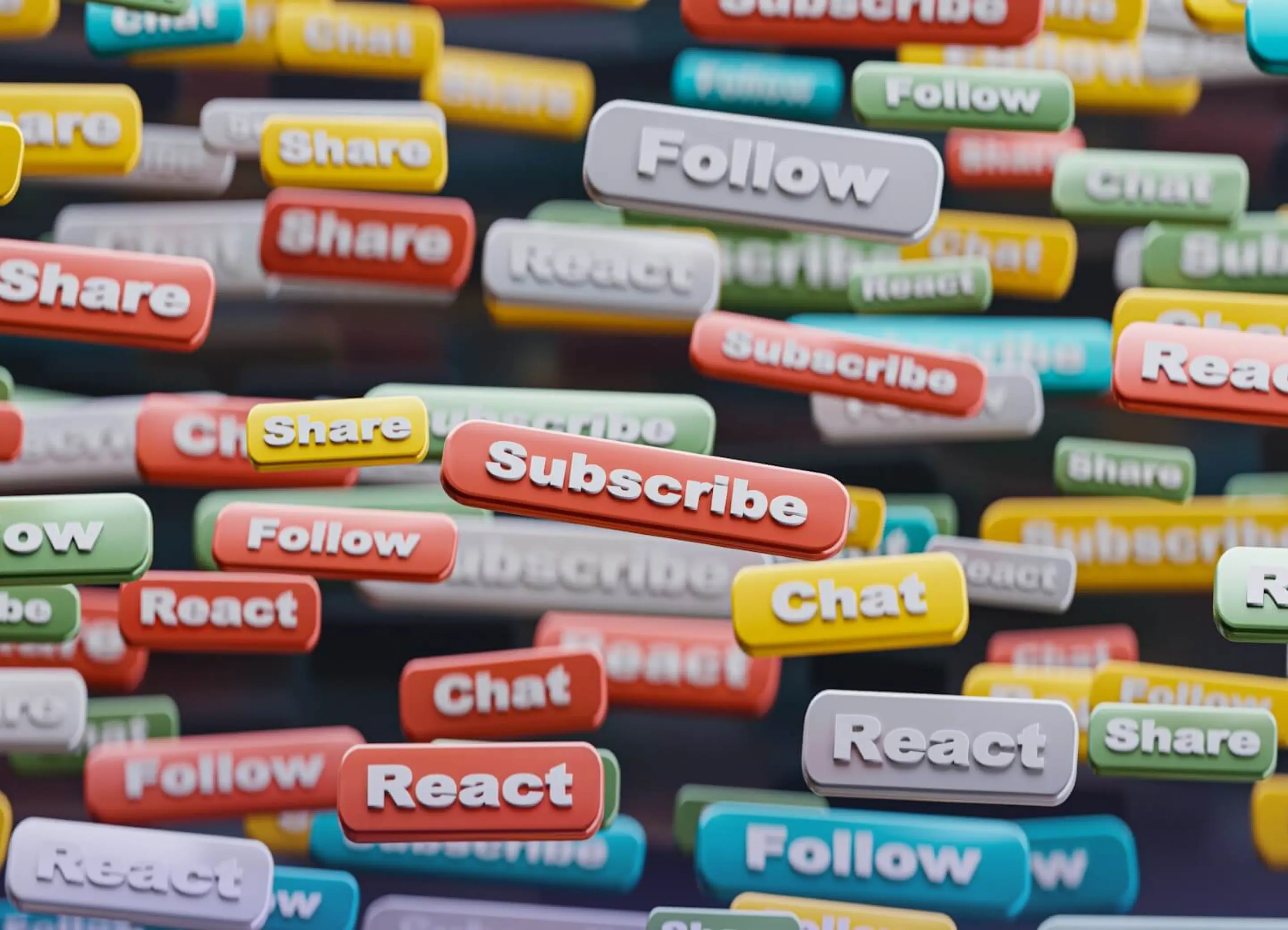
Social media marketing is about connecting with your audience, sharing valuable content, and growing your brand presence across platforms like Instagram and Facebook. It’s a place where you can build relationships, show your brand personality, and even provide customer service.
Through organic posts and paid ads, social media helps you target specific audiences based on interests, behavior, and demographics. It’s a great way to raise awareness, engage users, and drive traffic to your website, especially when paired with visuals or video content.
Email Marketing
Email marketing allows you to communicate with people who’ve already shown interest in your business. Whether it’s a welcome email, a monthly newsletter, or a limited-time offer, emails can be personalized and highly targeted.
One of the biggest advantages of email is that you own the list. Social platforms algorithms control reach, your email list can give you full control over who receives your message. It’s reliable, cost-effective, and still one of the highest-ROI channels in internet marketing.
Pay-Per-Click (PPC) Advertising
PPC ads appear on search engines and websites, and you only pay when someone clicks. Google Ads and social platforms like Facebook and LinkedIn make it easy to reach specific audiences based on search terms, interests, or demographics.
PPC is especially useful for time-sensitive promotions or when you're launching something new. It delivers immediate traffic and results, and with the right strategy, it can be a cost-effective way to grow visibility quickly.
Affiliate Marketing
Affiliate marketing involves working with partners or content creators who promote your product or service in exchange for a commission on each sale they drive. This lets you reach new audiences without upfront advertising costs.

It’s a win-win model - the affiliate earns income, and you gain customers from their audience. The key is finding affiliates who align with your brand and offer genuine value to their followers.
Common Mistakes to Avoid
Even with the best tools and good intentions, it’s easy to fall into common traps when you’re just starting out. Here are a few mistakes to watch for, and how to avoid them.
1. Trying to Do Everything at Once
New marketers often feel pressure to be everywhere - social media, email, blogs, ads. But spreading yourself too thin leads to weak results. Start with one or two channels that align with your goals and audience, then build from there.
2. Ignoring Analytics
If you’re not tracking what’s working, you’re guessing. Use tools like Google Analytics or built-in platform insights to monitor traffic, engagement, and conversions. Data helps you improve with every step.
3. Talking to Everyone (and Reaching No One)
A generic message rarely gets attention. Instead of trying to appeal to everyone, focus on a specific audience and tailor your message to their needs and language.
4. Being Inconsistent
Posting regularly and maintaining a consistent brand voice builds trust. Whether it’s one blog post a month or two emails a week, choose a rhythm you can maintain.

5. Overcomplicating Things
You don’t need everything figured out to take the first step. Keep your first campaigns simple. You’ll learn faster by doing, and adjusting, than by overplanning.
Conclusion
Internet marketing may seem complex at first, but it all starts with one simple goal - connecting with your audience online in a meaningful way. From search engines to social media, it offers endless opportunities to grow your brand, attract the right people, and build lasting relationships.
You don’t need to master every strategy at once. Keep it simple, stay consistent, and let each step teach you something new. Whether you're writing blog posts, running ads, or sending your first newsletter, each step brings you closer to stronger visibility and better results.
If you're ready to level up your digital presence with strategic design and marketing support, I can help. Let’s talk about how we can bring your brand online.

0min
|
Website
|
Web Design
|
Logo Dimensions for Website: What Size and Format You Need
If your logo is the wrong size or format, it can look blurry or stretched. Correct website logo dimensions are a small detail that makes a big difference in your brand’s online appearance.
Whether it’s a header logo, favicon, or mobile version, every placement has its own optimal size. Choosing the wrong dimensions can affect your site’s loading speed, visual consistency, and user experience.
In this guide, I’ll explain the best dimensions for website logos, how different file formats affect performance, and common mistakes to avoid. You’ll also learn why scalable, responsive logo design is more important than ever in today’s multi-device world.

Why Logo Size Matters on a Website
Your logo appears in more places than you might think - headers, navigation bars, footers, mobile menus, and even browser tabs as a favicon. If it’s not sized correctly for each of these placements, the result can be a distorted, pixelated, or poorly aligned image that weakens your brand's credibility.
Poorly optimized logo dimensions for websites can also affect performance. Oversized files may slow down page loading times, especially on mobile devices. On the other hand, logos that are too small or low-resolution may look unprofessional and unclear on high-definition screens.
Here’s why getting your logo dimensions right matters:
- It ensures your logo appears crisp and clean on all screen sizes;
- It avoids layout issues such as stretching, misalignment, or cut-offs;
- It helps maintain consistent branding across the site and devices;
- It improves site speed by reducing unnecessary file weight;
- It supports better user experience, especially on mobile and retina displays.
Modern websites are built to be responsive, which means every visual element, including your logo, should adapt seamlessly to different devices. That’s why planning for multiple logo sizes is essential.
Best Dimensions for Website Logos
There is no single standard logo size that works for every website, but there are recommended ranges that help maintain clarity, performance, and consistency. The right size depends on where the logo is used, whether it’s in the header, as a favicon, or on mobile devices. Below are the best dimensions for website logos based on placement and use case.
Header Logo
The most common placement for a logo is in the website’s header. It should be large enough to stand out but not so big that it disrupts the layout.
Recommended dimensions:
- Horizontal logo: 250 x 100 pixels;
- For larger headers: up to 400 x 100 pixels;
- For minimalist designs: 160 x 80 pixels.
For retina or high-resolution screens, it's best to upload your logo at 2x its display size to ensure sharpness.

Mobile Logo
Logos on mobile devices need to be optimized for smaller screens without losing readability.
Typical size:
- 100 x 50 pixels or smaller depending on layout;
- Use a simplified or stacked version if your full logo has small text.
Favicon
Your favicon is the tiny icon that appears in browser tabs, bookmarks, and on mobile home screens.
Standard favicon sizes:
- 16 x 16 pixels;
- 32 x 32 pixels;
- 48 x 48 pixels (for high-resolution displays).
Use a simplified version of your logo, ideally in PNG or SVG format, and ensure it remains legible at a very small scale.
Vertical or Square Logos
If your logo is square or stacked vertically, it may require different proportions than horizontal logos.
Recommended size:
- 160 x 160 pixels for general use;
- Adjust based on how much visual space it takes up in your layout.
Choosing the Right Logo Format
Picking the correct file format is just as important as choosing the right size. Using the wrong type can lead to slow load times, poor quality, or limited flexibility when resizing your logo for different screens.
Best formats for web logos:
1. SVG (Scalable Vector Graphic)
SVG is the ideal format for most website logos. It’s a vector file, which means it can scale up or down without losing quality. SVG files are lightweight, load quickly, and remain sharp on all screen sizes, including retina and 4K displays.
Use SVG when:
- You want a crisp, scalable logo;
- Your site uses responsive design;
- You need flexibility across devices and screen sizes.

2. PNG (Portable Network Graphic)
PNG files support transparency and are great for logos with a transparent background. However, they are not scalable like SVGs and can become pixelated when resized.
Use PNG when:
- You need a logo with a transparent background;
- The logo is displayed at a fixed size;
- You don’t need to scale the logo for different screen resolutions.
3. JPG (JPEG)
JPGs are smaller in size but do not support transparency and tend to lose quality with compression. They are not recommended for logos unless transparency is not needed and file size is a priority.
4. WebP
WebP is a newer format that combines compression and quality. It’s efficient but not yet universally supported in all situations for logos.
Quick tips:
- Use SVG as the primary logo format when possible;
- Always export logos in high resolution if using PNG or JPG;
- Keep a transparent background for flexibility with different website themes.
Responsive Logos and Scalability
Today’s websites must adapt to a wide range of screen sizes, from large desktop monitors to small mobile devices. Your logo should be just as flexible. A responsive logo adjusts to its environment, ensuring that it remains clear, readable, and properly aligned no matter where or how it’s displayed.
Responsive logos often require different versions of the same design. For example, a horizontal logo might work well in a desktop header, but a simplified, stacked version may be better suited for mobile navigation or smaller spaces.
How to make your logo responsive:
- Create multiple versions of your logo (horizontal, stacked, icon-only);
- Use vector formats like SVG to keep logos sharp at any size;
- Apply CSS rules to adjust logo size based on screen width;
- Test on various devices to catch issues with scaling or alignment.
A responsive logo improves your brand’s appearance across devices and ensures a better user experience. It also supports consistency across your site, social media profiles, email signatures, and other digital assets.
Common Mistakes to Avoid
Even the best-designed logos can fall short if they are not implemented correctly on a website. Avoiding a few common mistakes will help ensure your logo looks professional, loads quickly, and scales properly across devices.
1. Using the wrong file format
Uploading a JPG instead of an SVG or PNG can lead to blurry edges, poor scaling, or visible background boxes. Always choose a format that matches the intended use and design.
2. Uploading oversized files
High-resolution logos that haven’t been optimized can slow down your website, especially on mobile. Resize your files appropriately and compress them without losing quality.

3. Neglecting retina displays
Modern screens have higher pixel density, which means your logo may look blurry if it’s not prepared in high resolution. Use SVG or upload 2x versions of raster images to maintain sharpness.
4. Ignoring mobile responsiveness
A logo that looks great on desktop may break or appear too small on mobile. Always test your logo at different screen sizes and consider creating a simplified version for mobile.
5. Skipping the favicon
Many brands forget to upload a favicon version of their logo. This tiny icon improves branding in browser tabs and bookmarks, and it adds a polished touch to your site.

6. Inconsistent spacing or alignment
If your logo is misaligned with the header or other elements, it can disrupt the overall visual flow. Make sure it has enough white space around it and is visually balanced with the rest of the layout.
Conclusion
A logo is usually the first element people recognize when they see your brand. Getting the logo dimensions for the website right, along with the right format and responsiveness, ensures your brand looks polished, trustworthy, and consistent across every screen. From header placement to mobile scaling and favicon design, attention to these small details can have a big impact on how your business is perceived.
If you're launching a new brand or need help optimizing your existing logo for web use, I can help. I create modern, responsive logos that look sharp, load fast, and align perfectly with your website design.
Design Your Next Success
Partner with me to create exceptional brand identity.